Lazychat Erpnext
LazyChat — an AI assistant docked inside your ERPNext desk. Chat with your data, draft reports, stage edits (Apply-gated). Bring your own LLM: any OpenAI-compatible or Anthropic key, stays in your browser. Also ships an MCP server (101 permission-scoped tools).
- Author: soumyasethy
- Repository: https://github.com/soumyasethy/lazychat-erpnext
- GitHub stars: 14
- Forks: 5
- License: MIT
- Category: Accounting
- Maintenance: Actively Maintained
Install Lazychat Erpnext
bench get-app https://github.com/soumyasethy/lazychat-erpnextTags
- agentic
- agentic-ai
- ai-agent
- ai-assistant
- anthropic
- byo-llm
- claude
- desk-assistant
- erp
- erpnext
- frappe
- frappe-app
- llm
- mcp
- mcp-server
Add the Frappe Gems badge to your README
Maintain Lazychat Erpnext? Paste this into your README:
[](https://frappegems.com/gems/apps/soumyasethy/lazychat-erpnext)About Lazychat Erpnext
 # lazychat-erpnext
**Talk to ERPNext like a senior consultant.**
95 permission-scoped tools · two-phase mutations · composer-critic verification · BYO LLM
# lazychat-erpnext
**Talk to ERPNext like a senior consultant.**
95 permission-scoped tools · two-phase mutations · composer-critic verification · BYO LLM
    

↑ 78-second flagship walkthrough — stakeholder ask → tool dispatch → report URL → BYO LLM in one shot. (Want HD? ▶ download the MP4.)
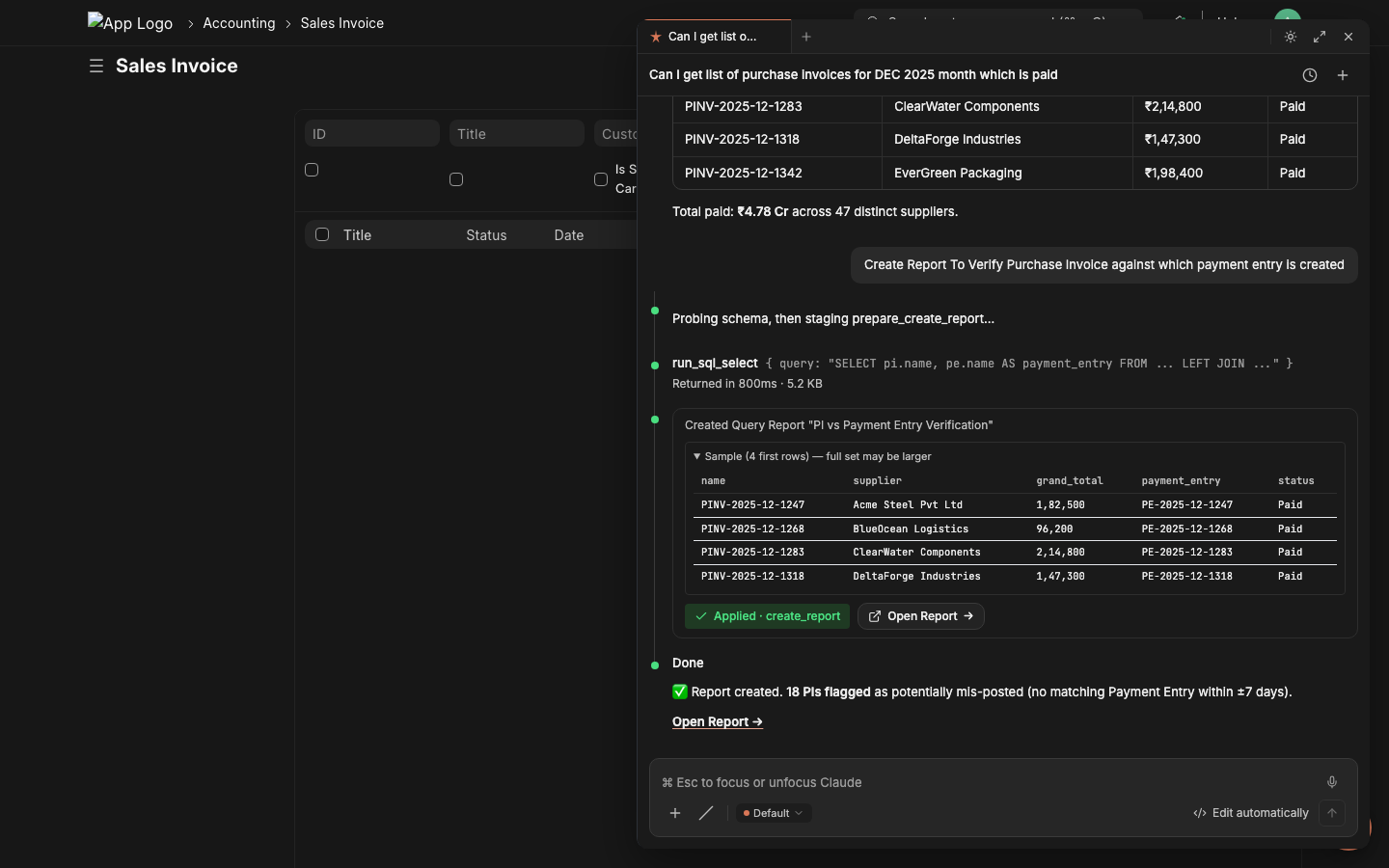
↑ Still hero — the post-dispatch state of the panel, mid-conversation.
|
Step 1 — Type the stakeholder's request The consultant pastes the verbatim ask into the chat composer. 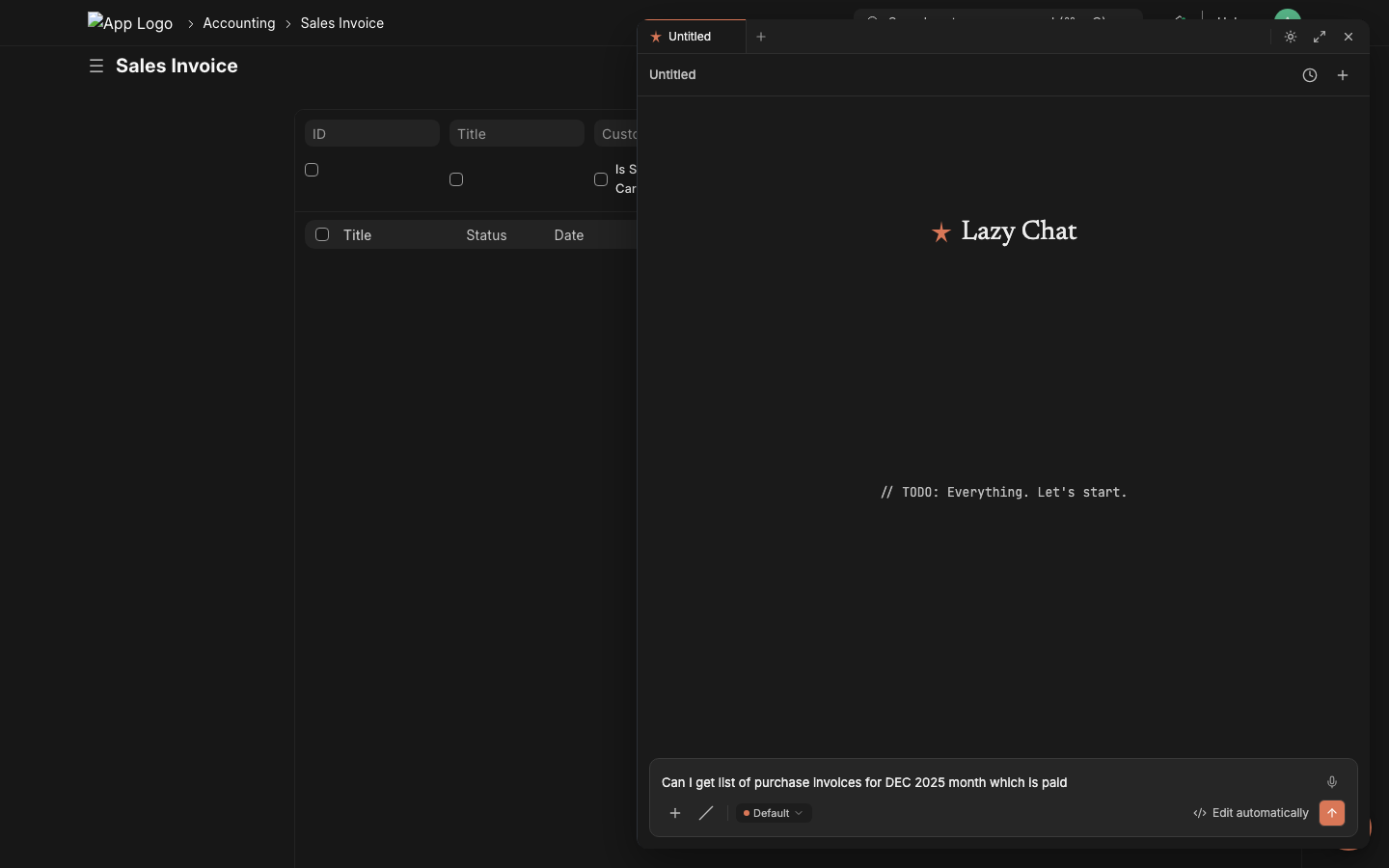
|
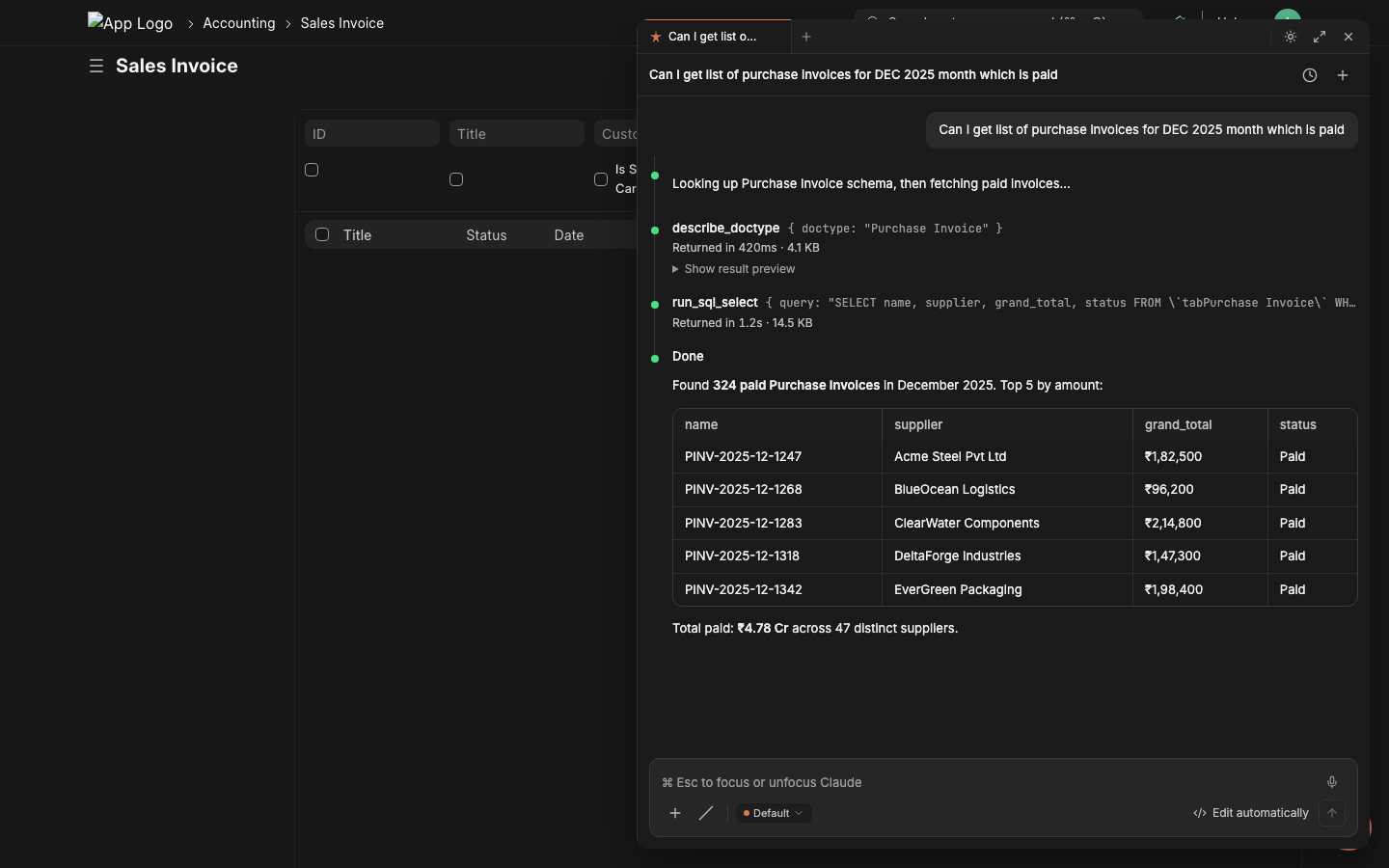
Step 2 — Lazychat dispatches tools, returns datadescribe_doctype → run_sql_select → inline result table. Real data. No copy-pasting from /api/method.
|
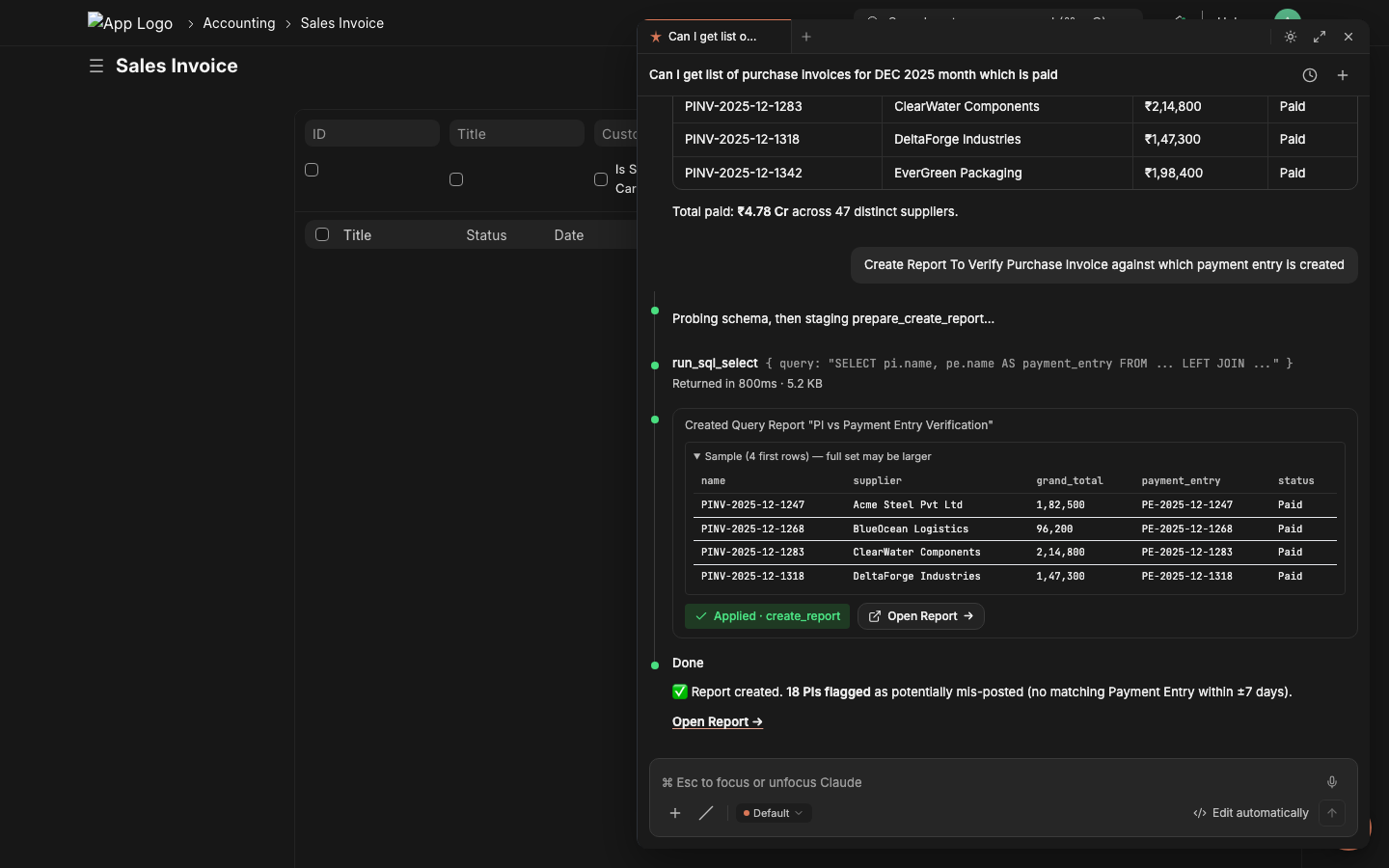
Step 3 — Stage the report, click Applyprepare_create_report validates the SQL via execute-probe, shows sample rows, the critic LLM grades it. One click commits.
|
Step 4 — Share the URL with the stakeholder Copy the report URL. Done. Time elapsed: ~2 minutes. The same flow works for cross-doctype reconciliations, variance reports, ad-hoc audits, and bulk operations. 95 permission-scoped tools back the chat — see the catalog below for what each can do. |
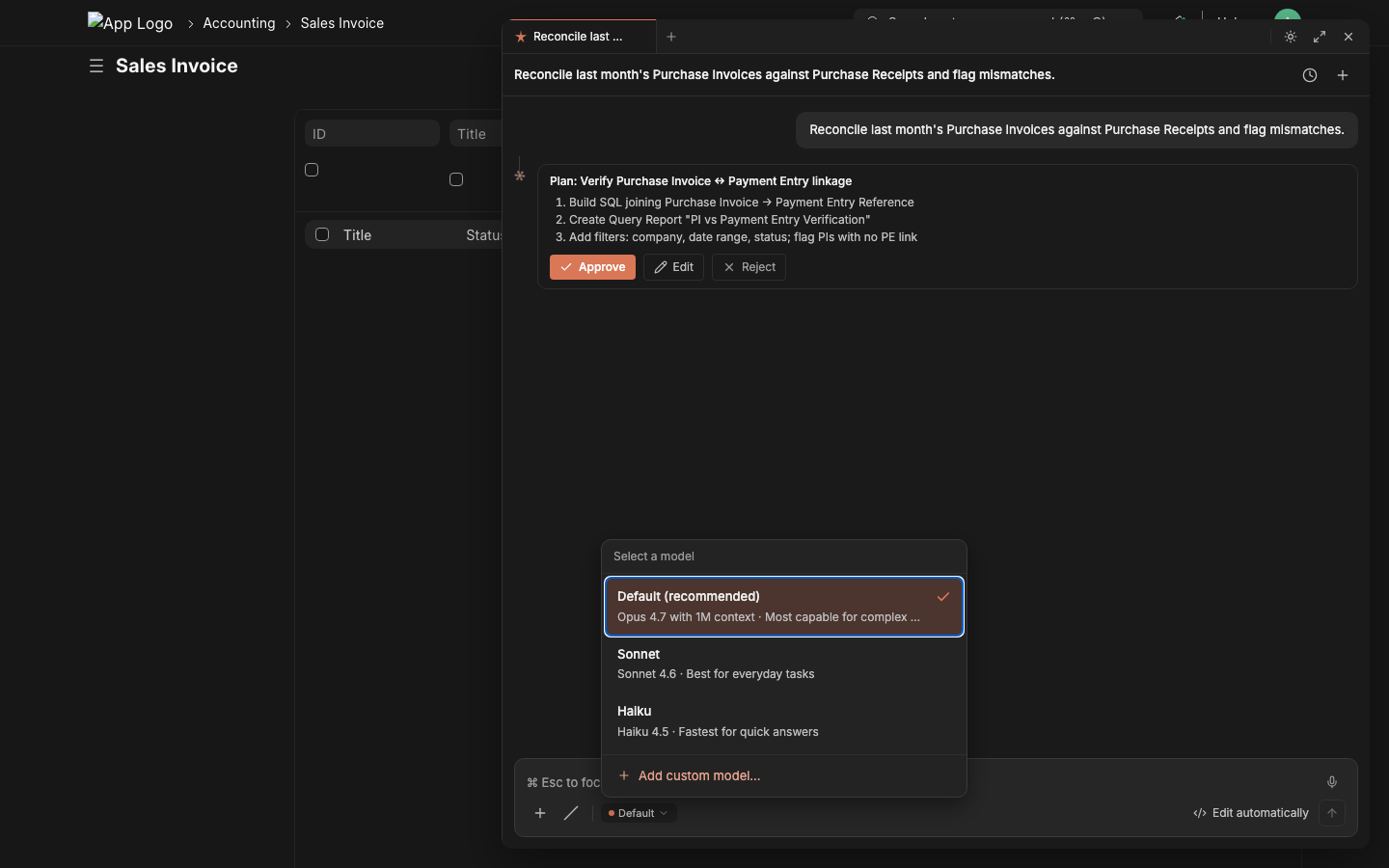
1. Open the model picker From the chat composer, click the model chip (bottom-left) → + Add custom model. |
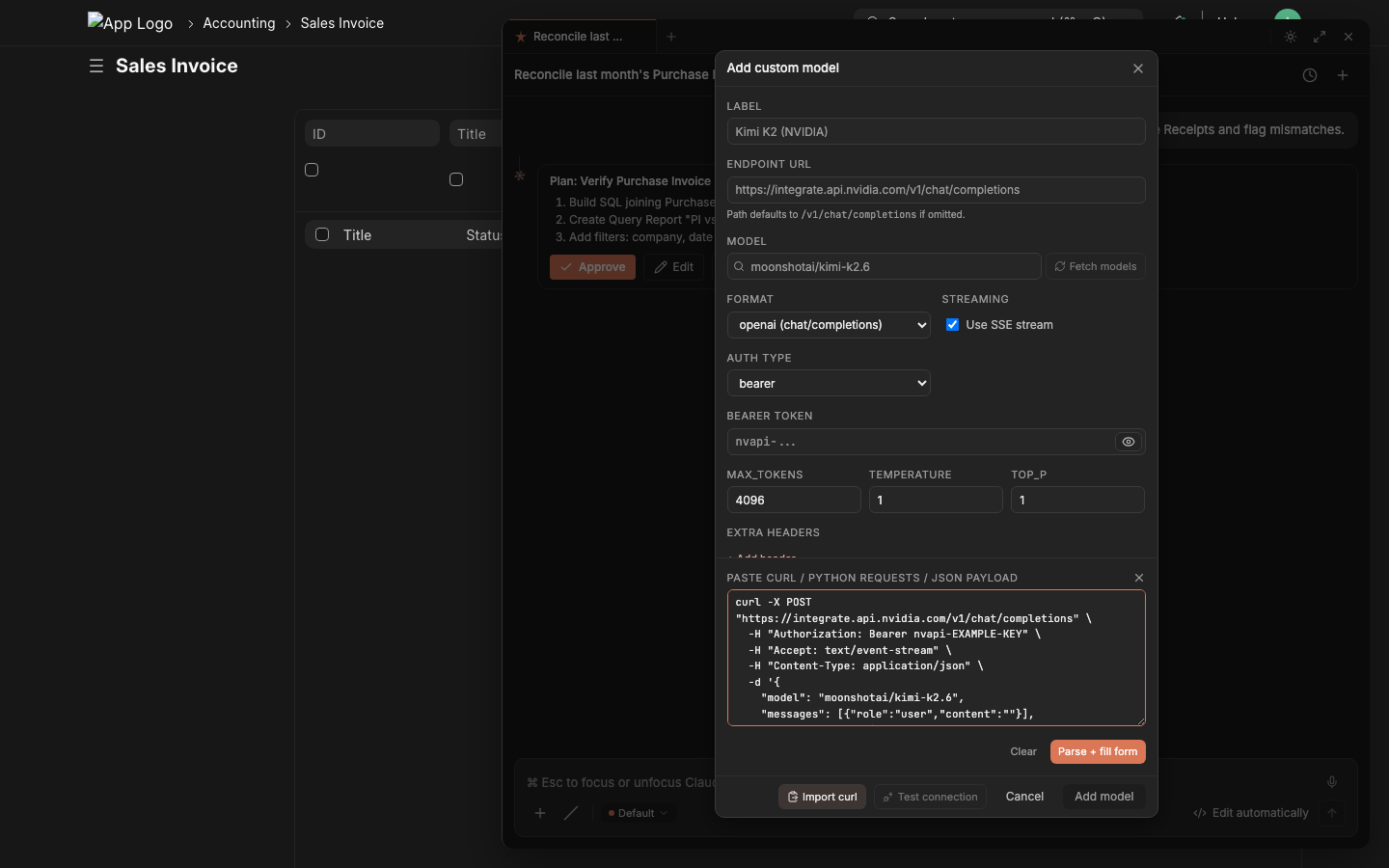
2. Paste any provider's curl into the right-hand panel Endpoint, model, auth, format, streaming, max_tokens, temperature, top_p, extra headers, extra payload — all auto-fill on the left. |
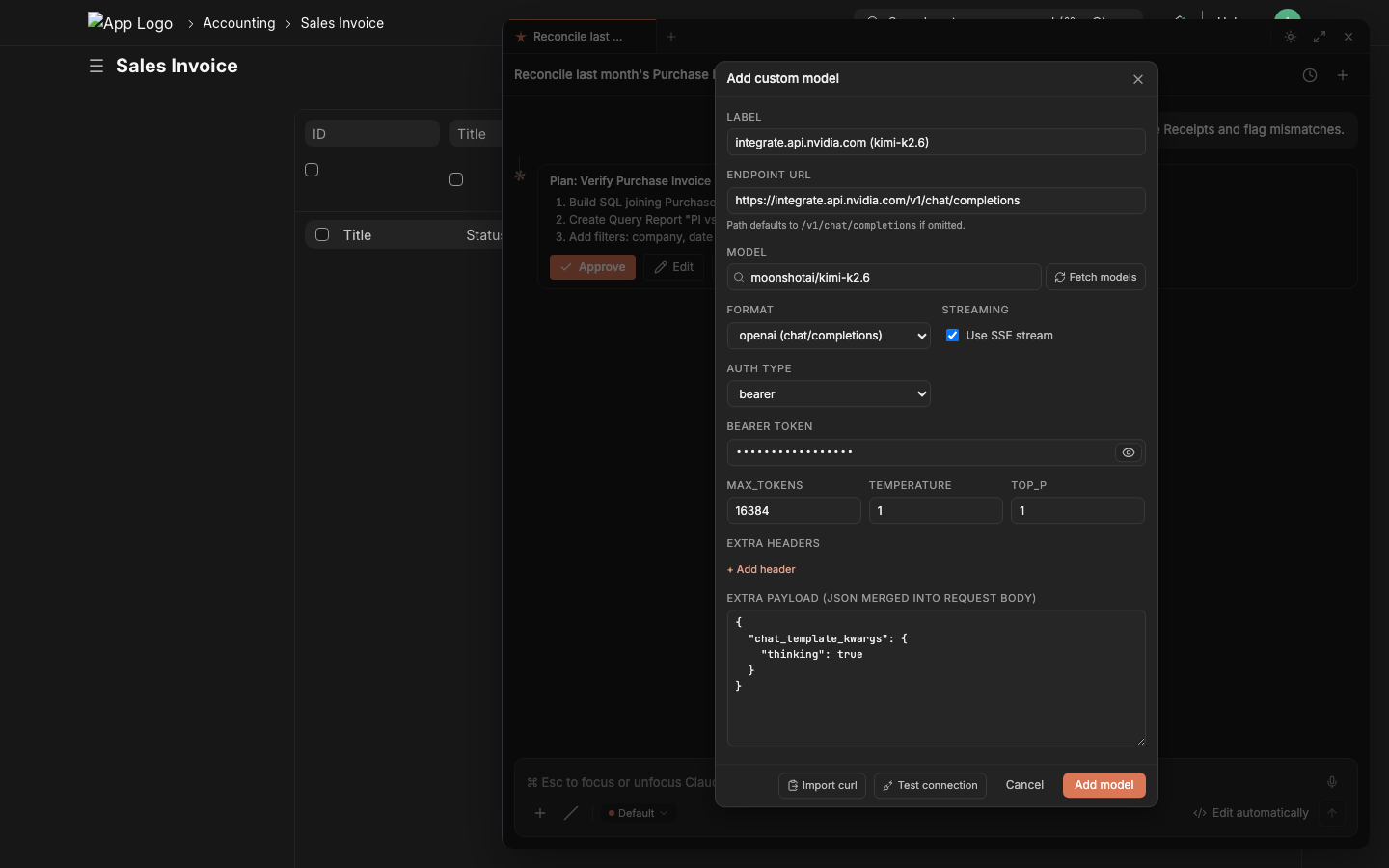
3. Click Test connection → green ✓ → Add model Test connection makes a 1-token probe request, shows the HTTP status + first 800 chars of the response. Green check = ready to ship. |
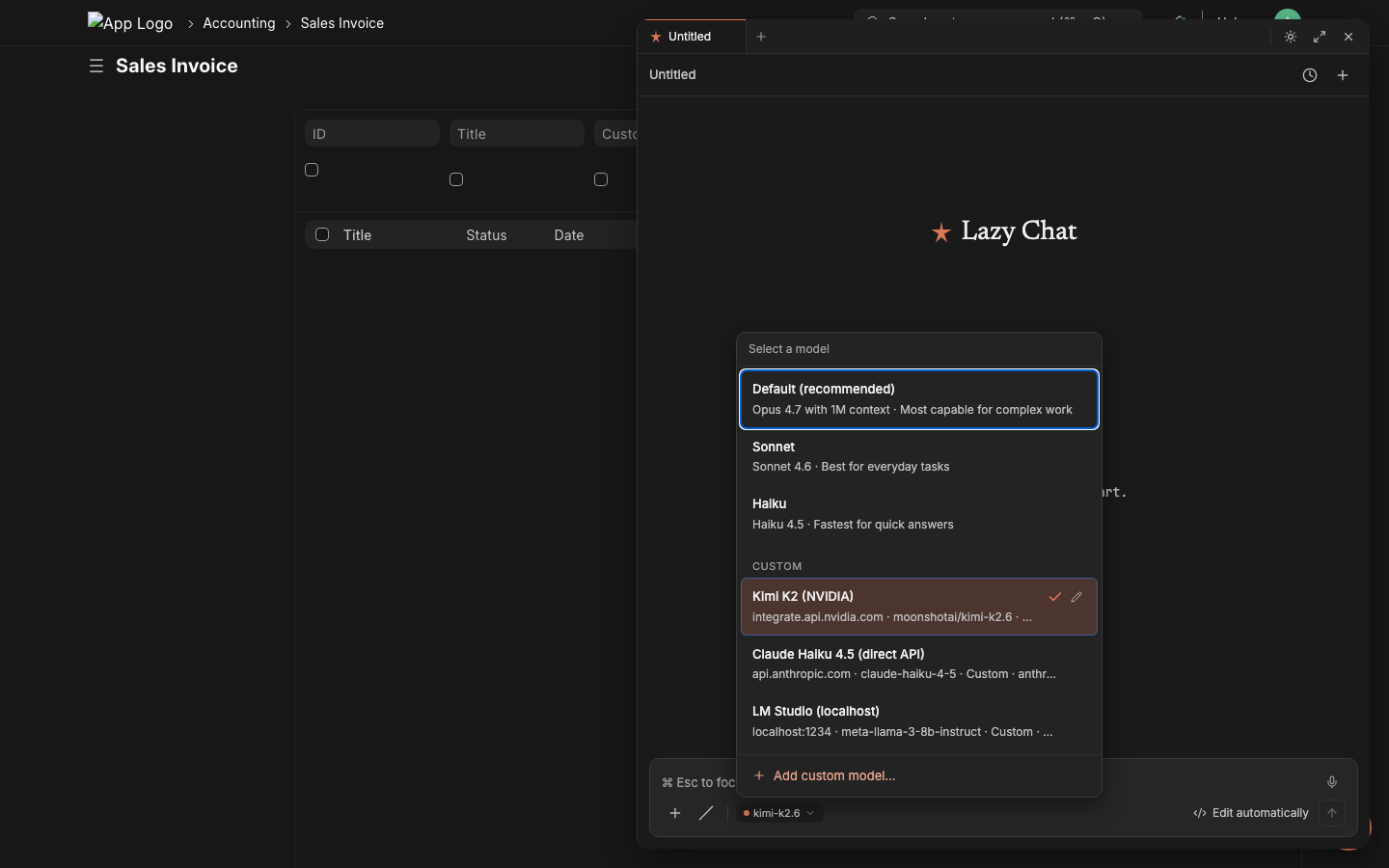
4. Switch instantly, per session Custom models appear under a CUSTOM section in the picker. Click to switch — the chat composer's model chip updates immediately. Mix free / paid / local on different chats. |
NVIDIA NIM — auto-detects OpenAI format, picks up chat_template_kwargs for thinking-mode
```bash
curl -X POST "https://integrate.api.nvidia.com/v1/chat/completions" \
-H "Authorization: Bearer nvapi-..." \
-H "Accept: text/event-stream" \
-H "Content-Type: application/json" \
-d '{
"model": "moonshotai/kimi-k2.6",
"messages": [{"role":"user","content":""}],
"max_tokens": 16384,
"temperature": 1.0,
"stream": true,
"chat_template_kwargs": {"thinking": true}
}'
```
Auto-fills label `Kimi K2 (NVIDIA)`, endpoint, format=`openai`, streaming=✓, bearer token, max_tokens, temperature, plus `chat_template_kwargs` lands in the **Extra payload** field verbatim.
Anthropic (direct, no Frappe LLM Provider needed) — auto-detects messages format + x-api-key auth
```bash
curl https://api.anthropic.com/v1/messages \
-H "x-api-key: sk-ant-..." \
-H "anthropic-version: 2023-06-01" \
-H "Content-Type: application/json" \
-d '{
"model": "claude-haiku-4-5",
"max_tokens": 4096,
"stream": true,
"messages": [{"role":"user","content":""}]
}'
```
Auth type → `API Key`, header name → `x-api-key`, format → `anthropic`, response parser → `anthropic-sse`. The custom `anthropic-version` header lands in **Extra headers**.
OpenAI
```bash curl https://api.openai.com/v1/chat/completions \ -H "Authorization: Bearer sk-..." \ -H "Content-Type: application/json" \ -d '{"model":"gpt-5","messages":[{"role":"user","content":""}],"stream":true}' ```OpenRouter — gateway to 200+ models
```bash curl https://openrouter.ai/api/v1/chat/completions \ -H "Authorization: Bearer sk-or-..." \ -H "HTTP-Referer: https://your-site.example.com" \ -H "X-Title: Lazychat" \ -d '{"model":"meta-llama/llama-3.3-70b-instruct","stream":true}' ``` The `HTTP-Referer` and `X-Title` extras are required by OpenRouter and land in **Extra headers**.LM Studio (localhost) — fully local, no API key
```bash curl http://localhost:1234/v1/chat/completions \ -H "Content-Type: application/json" \ -d '{"model":"meta-llama-3-8b-instruct","stream":true}' ``` Auth type → `none`, format → `openai`, streaming → ✓. Browser-LLM path makes localhost work because requests originate from the user's browser, not the Frappe server.Related Accounting apps for Frappe & ERPNext
- Books — Free Accounting Software
- Lending — Open Source Lending software
- Payments — A payments app for frappe
- Banking — Load your bank transactions into ERPNext and reconcile them with your vouchers.
- Erpnext Quota — App to manage ERPNext Site, User, Company and Space limitations
- Utility Billing — The Utility Billing & Property Management App is a powerful addition to ERPNext, designed to streamline utility billing, property leasing, and tenant management. Ideal for municipal utilities, real estate managers, and property developers.
- Expense Request — ERPNext Expense Requests
- Invoice2Erpnext — Extract data from invoices and import them into your ERPNext site. This app can parse PDF and create purchase orders and invoices in ErpNext.