Maintain Erpnext Suite? Paste this into your README:
[](https://frappegems.com/gems/apps/chinhcodelo/erpnext-suite)
About Erpnext Suite
hongocchinh ERP
Powerful, Intuitive and Open-Source ERP
[](https://frappe.school)
## Overview
100% Open-Source ERP System to help you run your business.
Running a business is a complex task - handling invoices, tracking stock, managing personnel, and other daily operations. In a market where software is sold separately to manage each of these tasks, hongocchinh ERP does all of the above and more, for free.
## Key Modules
- **Accounting**: All the tools you need to manage cash flow in one place, right from recording transactions to summarizing and analyzing financial reports. Handle multi-currency transactions, bank reconciliations, and tax compliance.
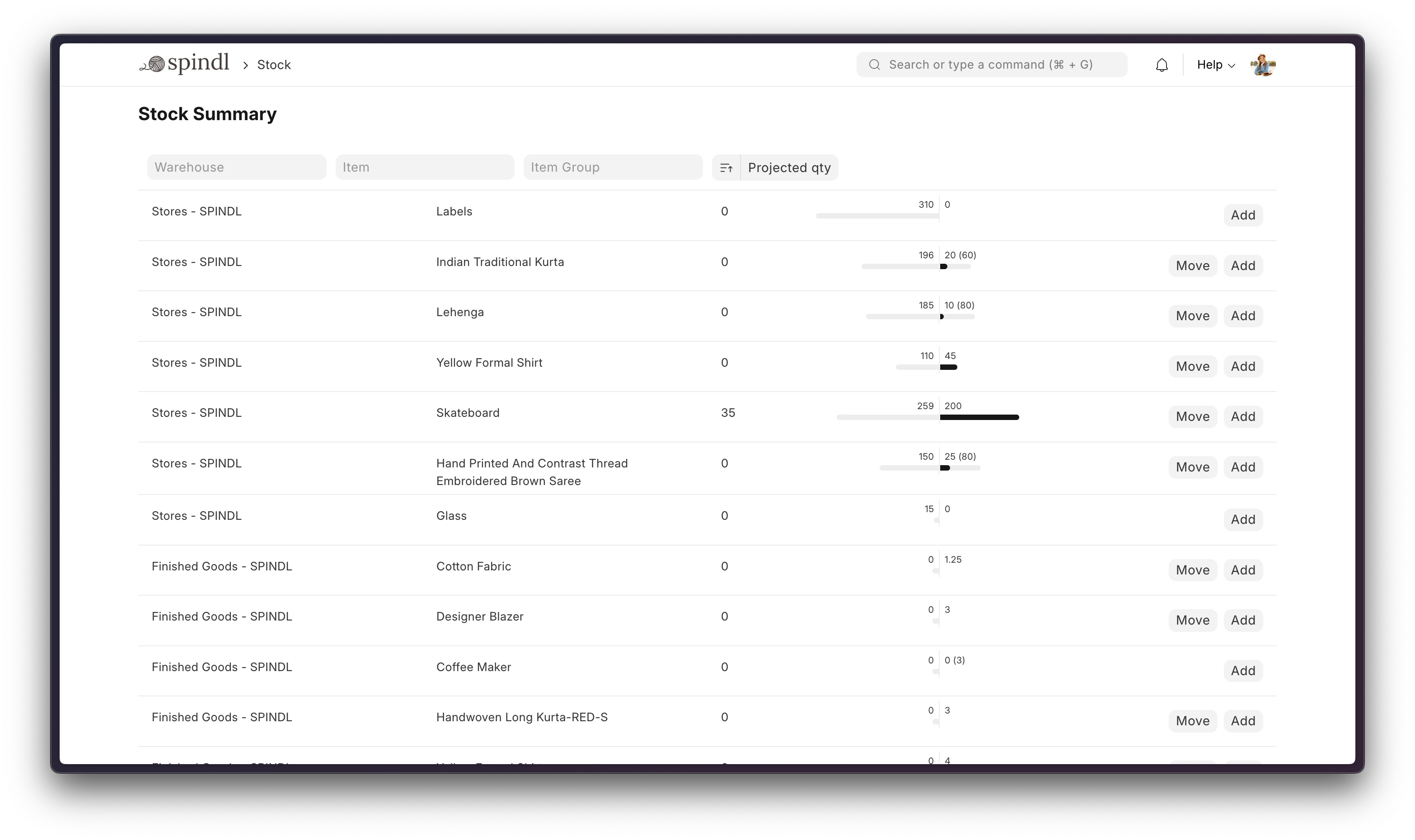
- **Stock**: Real-time inventory tracking across warehouses. Manage stock entries, quality inspections, batch tracking, and automatic reordering with minimum stock levels.
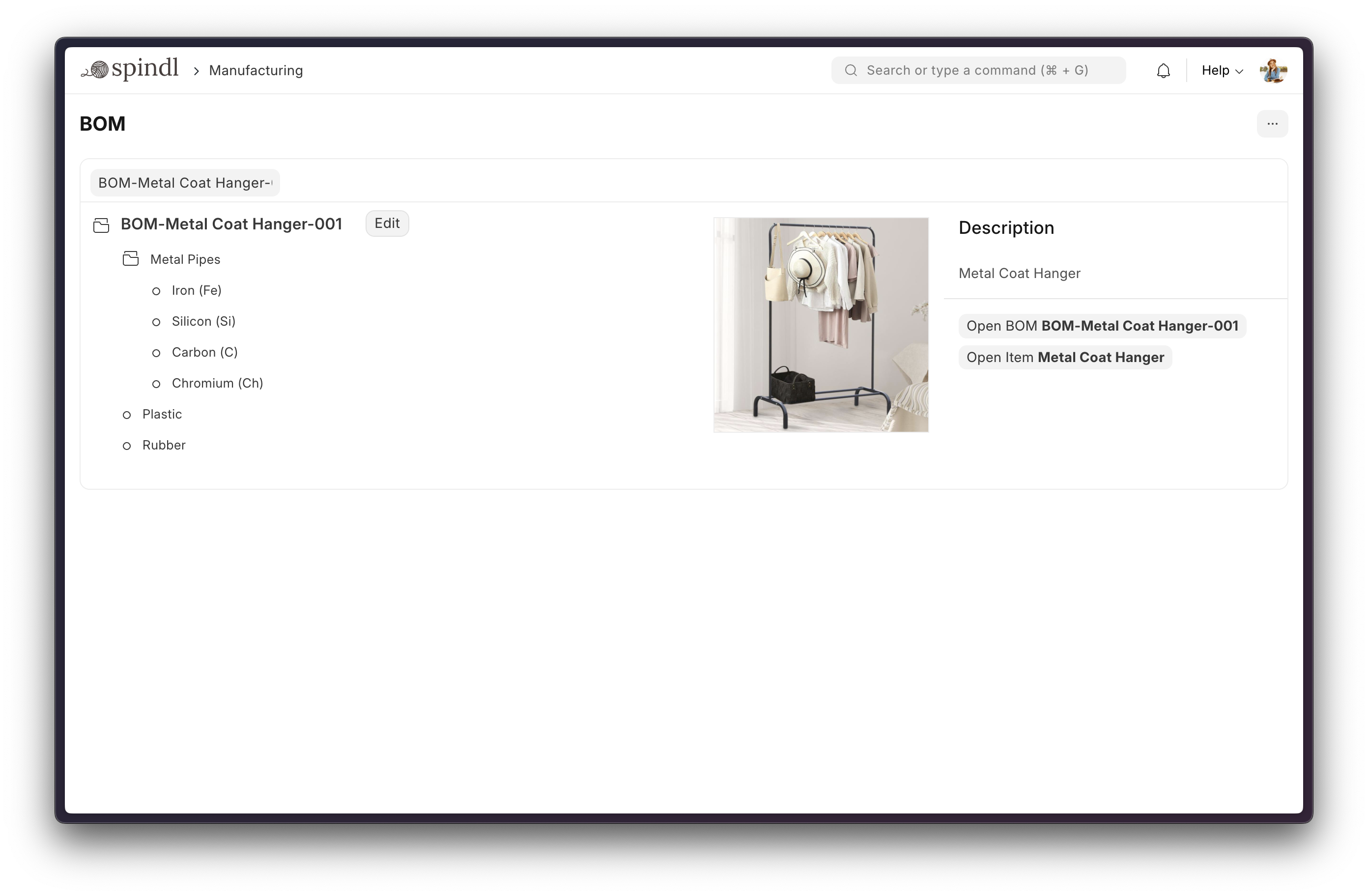
- **Manufacturing**: Simplifies the production cycle, helps track material consumption, exhibits capacity planning, handles subcontracting, and manages Bills of Materials (BOM) and Work Orders.
- **CRM**: Manage your sales pipeline from lead capture to deal closure. Track communications, schedule follow-ups, and generate sales forecasts with comprehensive customer relationship tools.
- **Buying**: Streamline procurement with purchase orders, supplier management, and material requests. Track purchase analytics and manage multi-currency purchasing workflows.
- **Selling**: Manage quotations, sales orders, and deliveries. Handle customer pricing, discounts, and loyalty programs with integrated invoicing.
- **HR**: Complete human resource management including employee records, payroll, leave management, expense claims, and recruitment workflows.
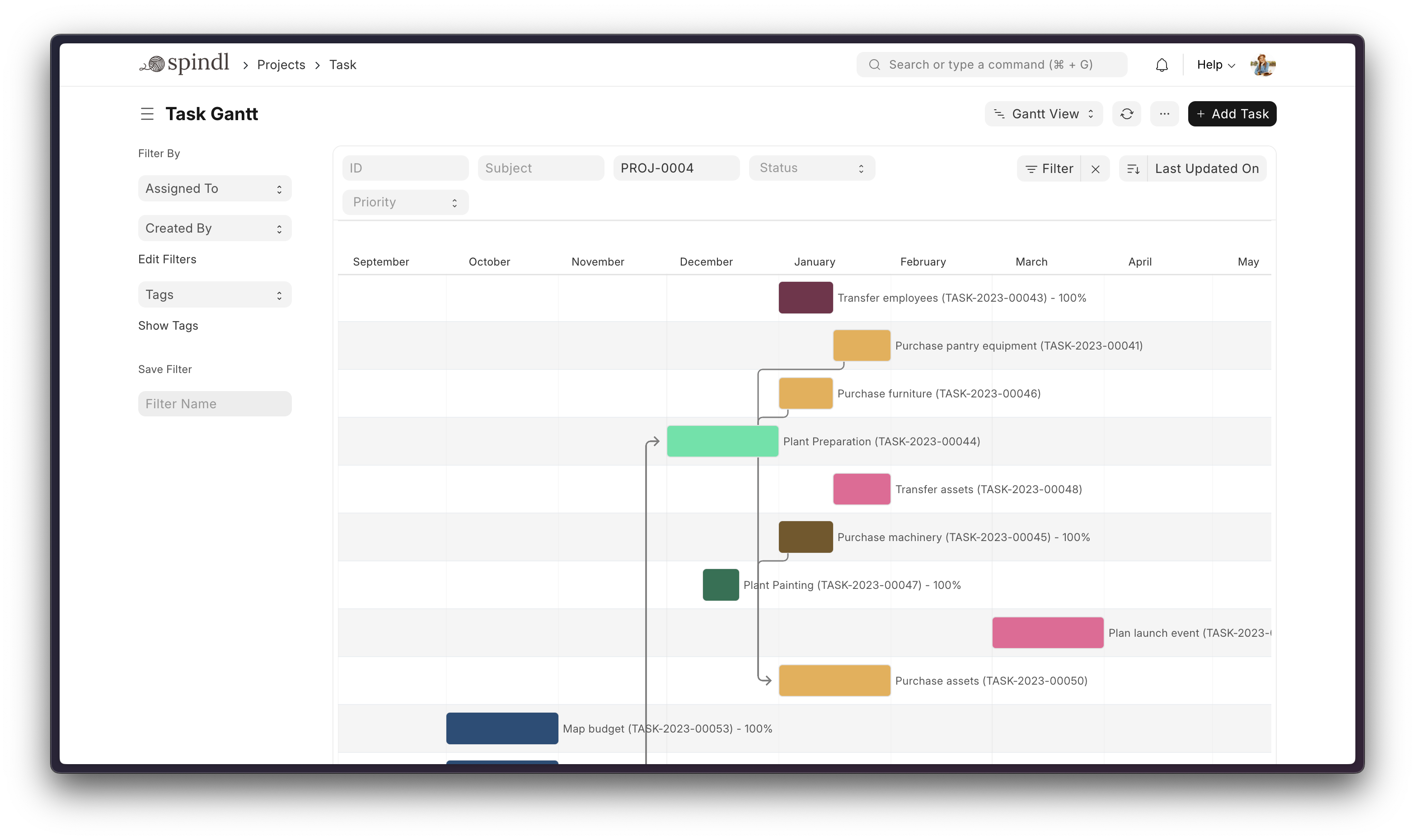
- **Projects**: Deliver both internal and external projects on time, budget and profitability. Track tasks, timesheets, and issues by project with Gantt charts and analytics.
- **Support**: Manage customer support tickets, service level agreements, and issue tracking with integrated communication channels.
Screenshots
## Tech Stack
| Layer | Technology |
|-------|-----------|
| Language | Python, JavaScript |
| Framework | Frappe Framework |
| Database | MariaDB / PostgreSQL |
| Cache | Redis |
| Frontend | Frappe UI (Vue-based) |
## Production Setup
### Managed Hosting
You can try [Frappe Cloud](https://frappecloud.com), a simple, user-friendly, and sophisticated [open-source](https://github.com/frappe/press) platform to host Frappe applications reliably and securely.
It handles installation, setup, upgrades, monitoring, maintenance, and support of your Frappe deployments.
### Self-Hosted
#### Docker
See [Frappe Docker Documentation](https://github.com/hongocchinh/erpnext-suite) for full documentation & FAQ on Docker setup
#### Prerequisites
- [Docker](https://docs.docker.com/get-docker/)
- [Docker Compose v2](https://docs.docker.com/compose/)
- [git](https://docs.github.com/en/get-started/getting-started-with-git/set-up-git)
> For Docker basics and best practices refer to Docker's [documentation](https://docs.docker.com)
### Try on your environment
> **Disposable demo only** - This setup is intended for quick evaluation. Expect to throw the environment away.
First clone the repo:
```sh
git clone https://github.com/frappe/frappe_docker
cd frappe_docker
```
Then run:
```sh
docker compose -f pwd.yml up -d
```
Wait for a couple of minutes for ERPNext site to be created or check the `create-site` container logs before opening browser on port `8080`. (username: `Administrator`, password: `admin`)
## Development Setup
### Manual Install
The Easy Way: our install script for bench will install all dependencies (e.g. MariaDB). See https://github.com/frappe/bench for more details.
### Local
To setup the repository locally follow the steps mentioned below:
1. Setup bench by following the [Installation Steps](https://frappeframework.com/docs/user/en/installation) and start the server
```
bench start
```
2. In a separate terminal window, run the following commands:
```
bench new-site erpnext.localhost
```
3. Get the ERPNext app and install it
```
bench get-app https://github.com/hongocchinh/erpnext-suite
bench --site erpnext.localhost install-app erpnext
```
4. Open the URL `http://erpnext.localhost:8000/app` in your browser, you should see the app running
## Learning and Community
1. [Frappe School](https://school.frappe.io) - Learn Frappe Framework and ERPNext from the various courses by the maintainers or from the community.
2. [Official documentation](https://docs.erpnext.com/) - Extensive documentation for ERPNext.
3. [Discussion Forum](https://discuss.frappe.io/c/erpnext/6) - Engage with the community of ERPNext users and service providers.
4. [Telegram Group](https://erpnext_public.t.me) - Get instant help from huge community of users.
## Contributing
1. [Issue Guidelines](https://github.com/hongocchinh/erpnext-suite/wiki/Issue-Guidelines)
2. [Report Security Vulnerabilities](https://erpnext.com/security)
3. [Pull Request Requirements](https://github.com/hongocchinh/erpnext-suite/wiki/Contribution-Guidelines)
4. [Translations](https://crowdin.com/project/frappe)
## Logo and Trademark Policy
Please read our [Logo and Trademark Policy](TRADEMARK_POLICY.md).
Banking — Load your bank transactions into ERPNext and reconcile them with your vouchers.
Erpnext Quota — App to manage ERPNext Site, User, Company and Space limitations
Utility Billing — The Utility Billing & Property Management App is a powerful addition to ERPNext, designed to streamline utility billing, property leasing, and tenant management. Ideal for municipal utilities, real estate managers, and property developers.
Invoice2Erpnext — Extract data from invoices and import them into your ERPNext site. This app can parse PDF and create purchase orders and invoices in ErpNext.