Bluetheme
Custom Theme for ERPNext v12 with new Desk 2.0
- Author: hashirluv
- Repository: https://github.com/hashirluv/bluetheme
- GitHub stars: 66
- Forks: 69
- License: NOASSERTION
- Category: Themes
- Maintenance: Unmaintained
Install Bluetheme
bench get-app https://github.com/hashirluv/bluethemeAdd the Frappe Gems badge to your README
Maintain Bluetheme? Paste this into your README:
[](https://frappegems.com/gems/apps/hashirluv/bluetheme)About Bluetheme
## Blue Theme Material UI for ERPNext
Custom Theme for ERPNext v12 on the new Desk 2.0
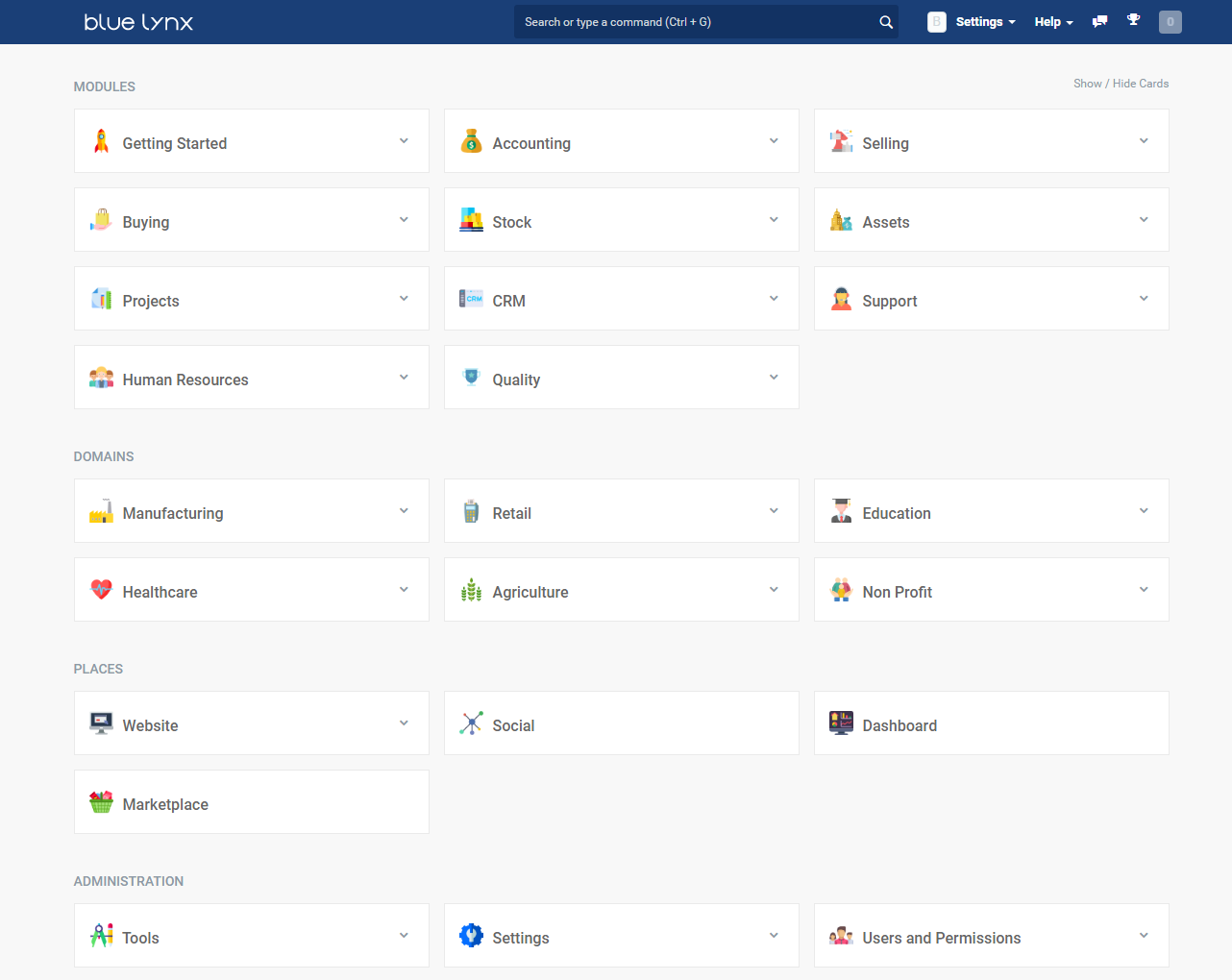
To install bluetheme,
1. bench get-app https://github.com/hashirluv/bluetheme.git
2. bench --site (sitename) install-app bluetheme
3. bench clear-cache
For desktop icons to appear,
There are two files, named desktop-erpnext.py and desktop-frappe.py, in the releases page.
1. Rename the file desktop-erpnext.py to desktop.py and replace in frappe-bench/apps/erpnext/erpnext/config folder after taking the backup of the original file.
2. Rename the file desktop-frappe.py to desktop.py and replace in frappe-bench/apps/frappe/frappe/config folder after taking the backup of the original file.
To uninstall bluetheme
1. bench --site (sitename) uninstall-app bluetheme
2. Restore the original desktop.py in erpnext and frappe config folders
### Troubleshoot Tips (not sure if it will work, but it worked for me)
If the installation of bluetheme doesn't work, or any error pops up, try 'get-app' again. If the error still persists,try the below. I'm not sure if it will work 100%, but it worked for me.
1. Get another theme (i used "bench get-app https://github.com/vinhnguyent090/bdtheme")
2. Install it and uninstall it
3. Install bluetheme
** Please check the codes and help me refine it, in case the way i did the changes are not correct.
#### License
GNU General Public License
Related Themes apps for Frappe & ERPNext
- Business Theme V14 — Business Theme for Frappe / ERPNext v14
- Frappe Desk Theme — A comprehensive theming solution for FrappeERPNext desk interface that allows complete customization of the user interface appearance.
- Frappe Theme — Theme for Frappe sites
- Portal Theme — Theme your entire Frappe portal — navbar, cards, login page, and more.
- Owl Theme — Take full control of your Frappe/ERPNext app. Customize backgrounds, logos, and colors with ease.
- Redtheme V13B — Custom theme for ERPNext/Frappe version 13-beta
- Whitetheme V13 — Custom Theme for Frappe/ERPNext v13
- Saas Theme — A modern, polished SaaS UI theme for Frappe Framework v16 — dual sidebar, slide-in editors, enhanced forms & dashboard.