Ems
This is a portal system which helps to manage multi-team events such as Annual Sports Meet or Inter college tournaments or Cultural Fest etc. This is built in frappe bench with some updations in server side and client side.
- Author: RaghuGulati
- Repository: https://github.com/RaghuGulati/ems
- GitHub stars: 0
- Forks: 0
- License: NOASSERTION
- Category: Developer Tools
- Maintenance: Unmaintained
Install Ems
bench get-app https://github.com/RaghuGulati/emsAdd the Frappe Gems badge to your README
Maintain Ems? Paste this into your README:
[](https://frappegems.com/gems/apps/RaghuGulati/ems)About Ems
# EMS: Event Management System
This is a portal system which helps to manage multi-team events such as Annual Sports Meet or Inter college tournaments or Cultural Fest etc. This is built in frappe bench with some updations in server side and client side.
So let's see the overview of the protal.
Various doctypes and child tables (as per the need) are implemented which will be discussed below.
### Features of EMS
- Main Event
- Sub Event
- Teams Participating
- Sub Events Format (fixtures and results)
- Medals per sub events
- Medal Tally
We have implemented these features using various doctypes.
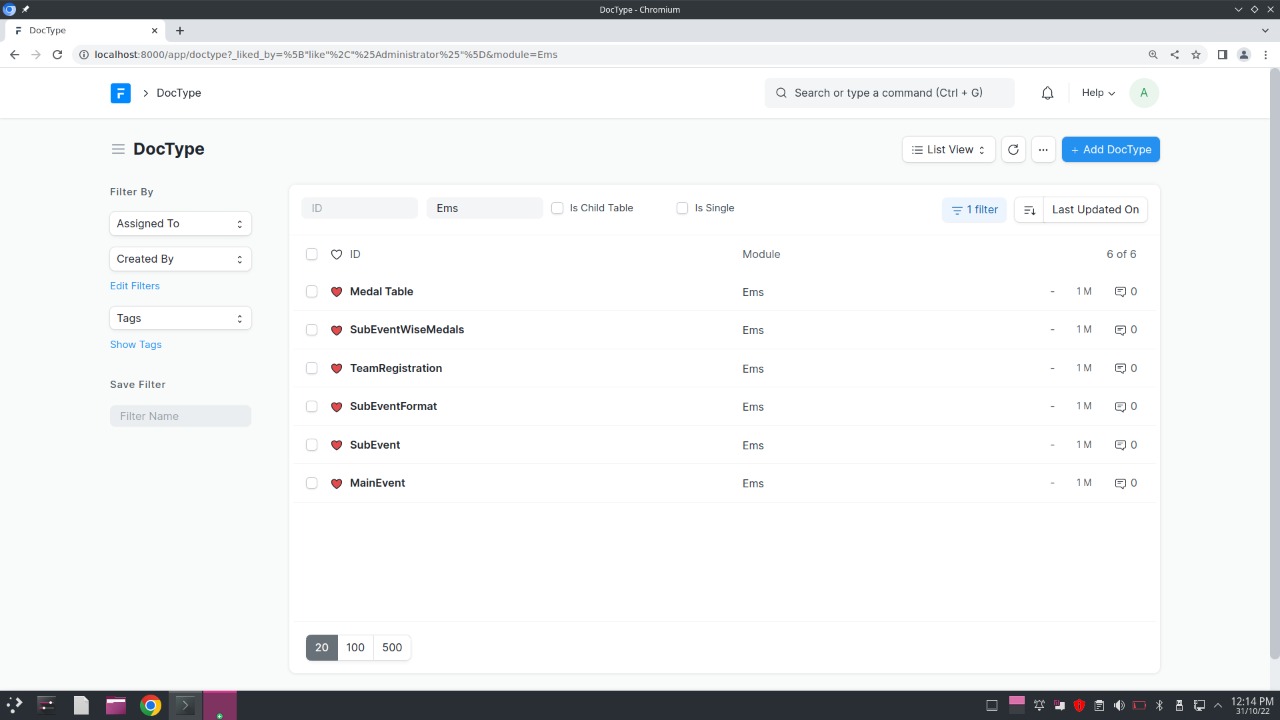
Now let us see these features in details. Here an event named Intercollege Table Tennis Tournament has been created and managed through this app so you will be able to get an idea about the work flow of this system
Note:
- In the following doctypes, there are various instances where sub events and teams are filtered as per the main event selected by the user, this has been done in js (client side scripting) and is available in the repository at .js file in ems/ems/doctype/doctype_name folder. Simiplarly python scripting has been done in .py files present in the same location
- There are various tables present in doctypes such as Judges table in SubEvent doctype, Teachers Details and Select Sub Event in TeamRegistration etc there are actually different doctypes in which is child table is enabled and parent table is mentioned. Thus it will not act as independent doctype but will take the input in parent doctype itself. ----------------------------------------------------------------------- ### Let's Start features in details - Main Event:
Doctype: MainEvent 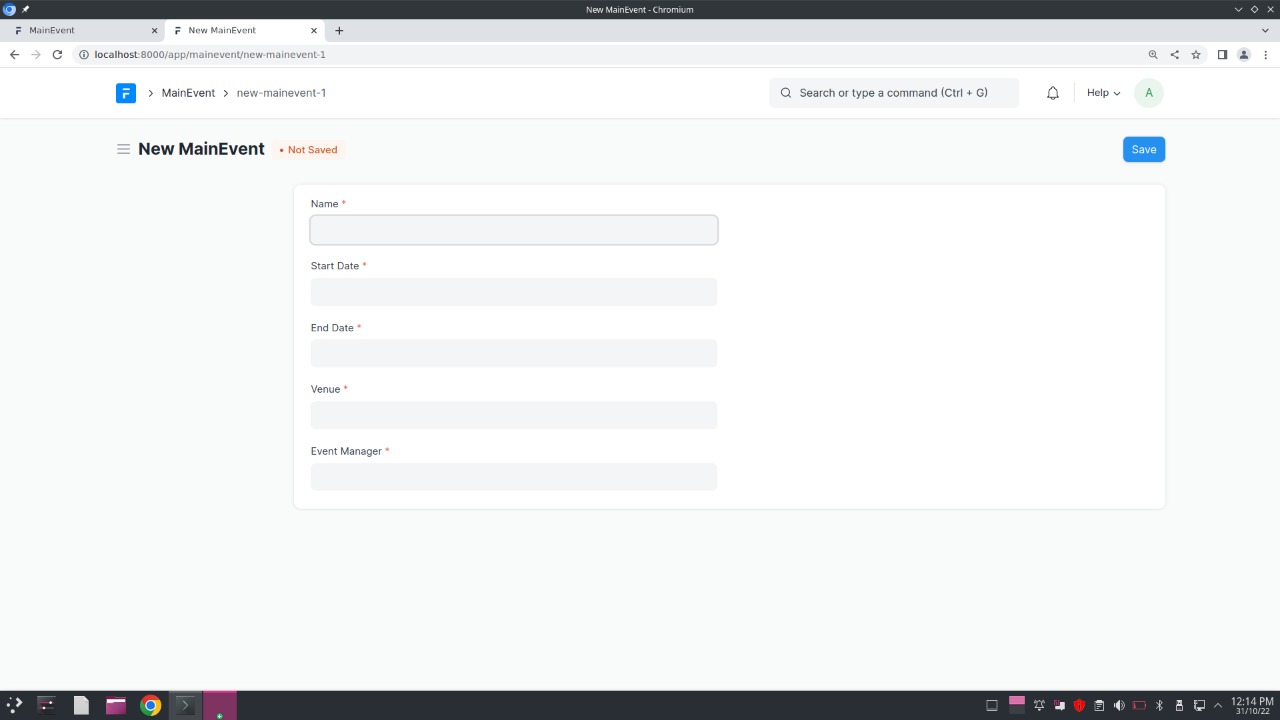 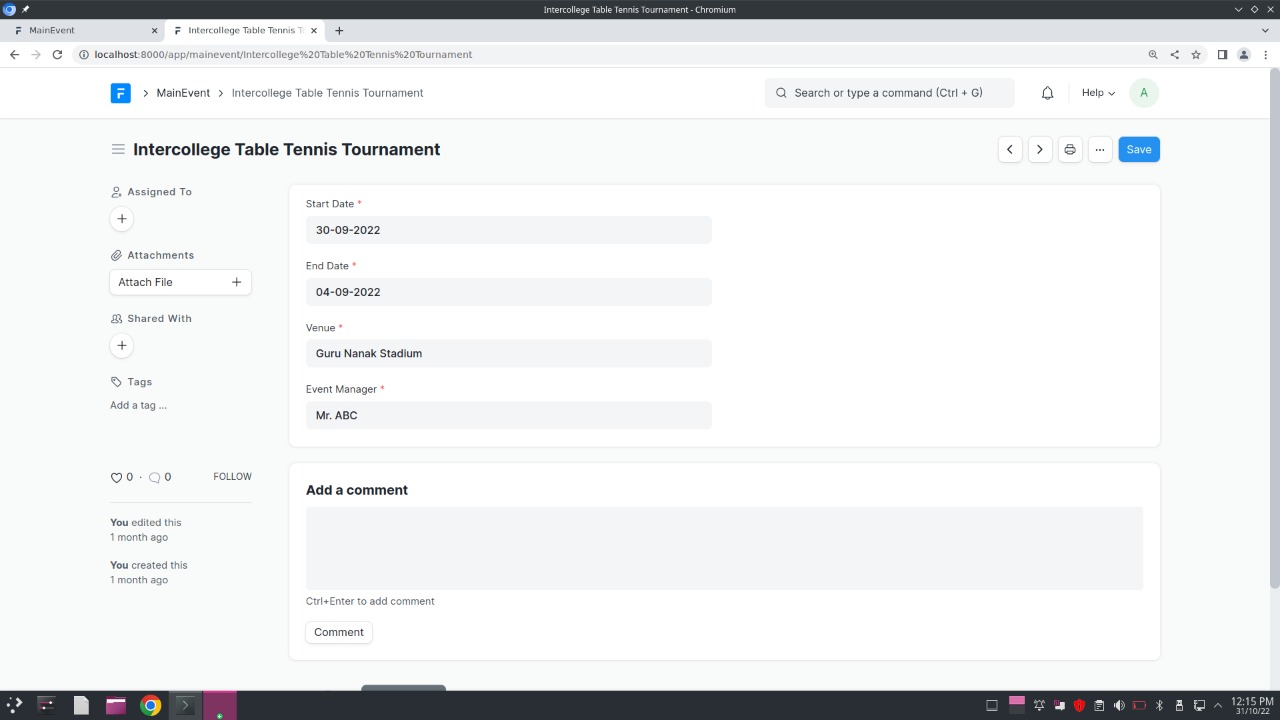 - Sub Event:
Doctype: SubEvent List of Sub events created for Inter college table tennis tournament Now in this following image see the details to be entered while creating a subevent: 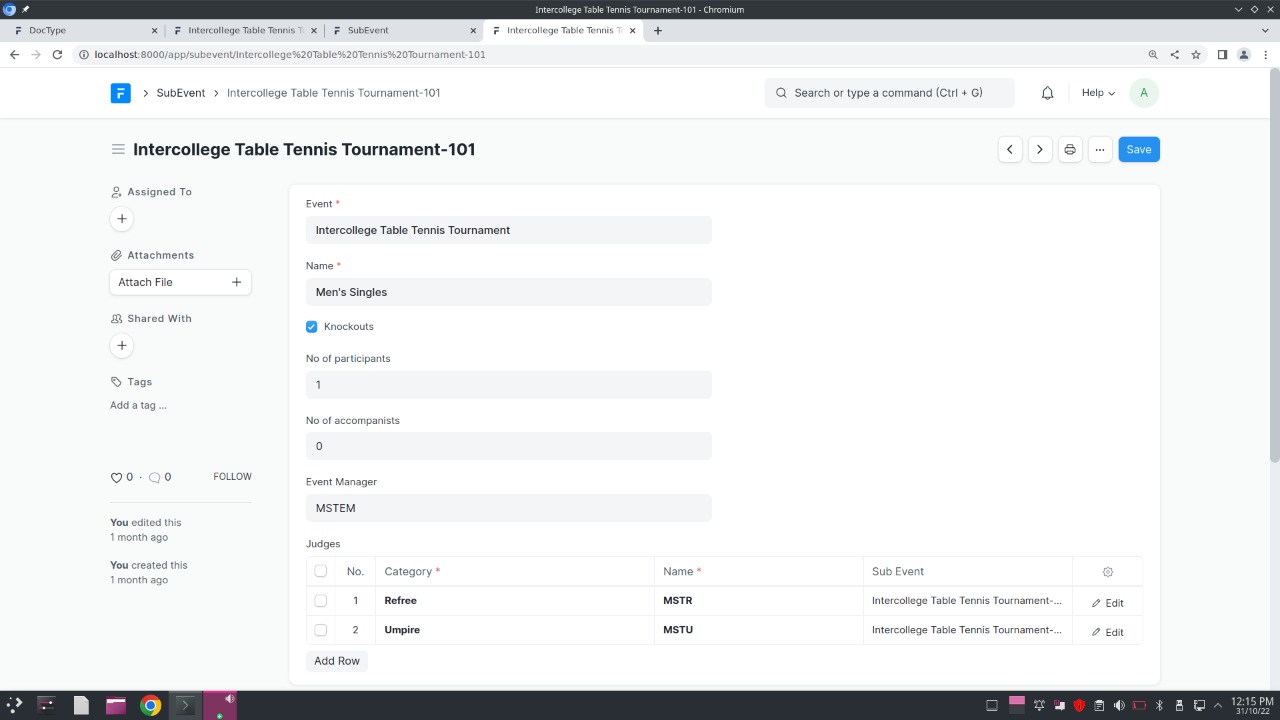 Note: The name of subevent is stored as a unique code concatenated with the main event name to avoid duplicacy as men's singles can be an event in Table Tennis or Badmintor or Squash etc. Its scripting has been done in python (server side scripting) using autoname function. - Teams Participating:
Doctype: TeamRegistration 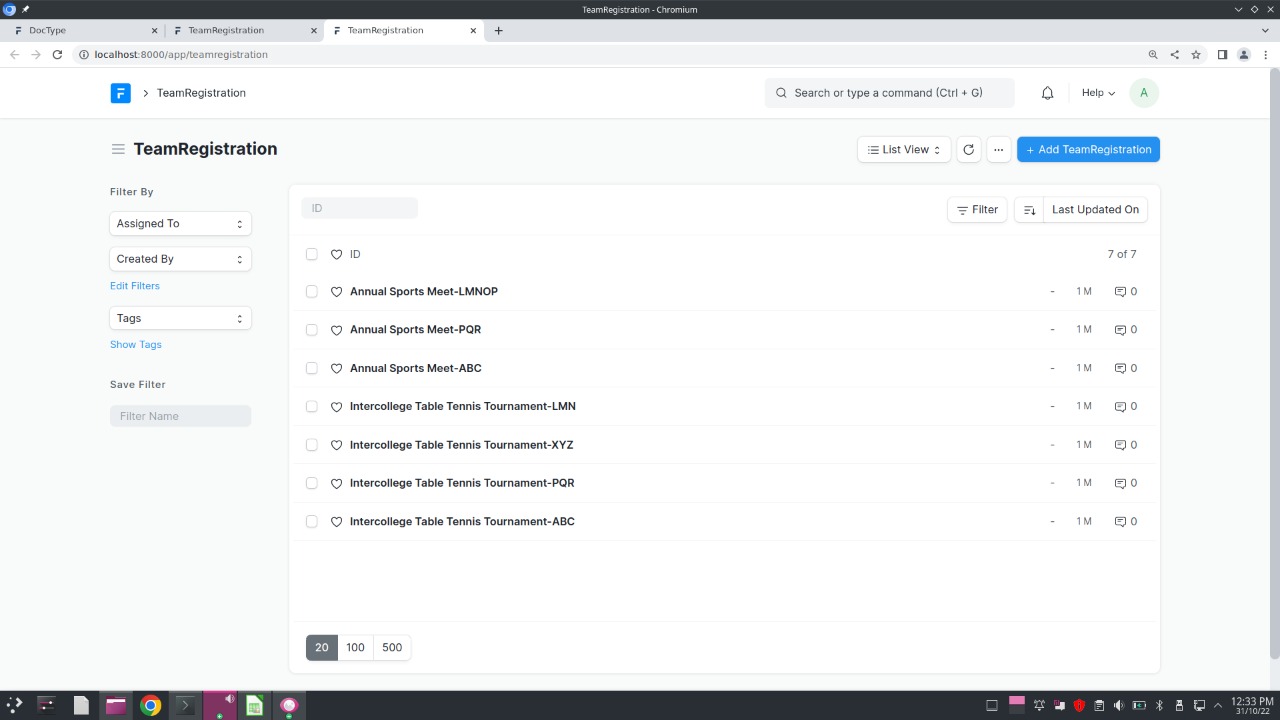 Now see the fields to be entered with registering a team 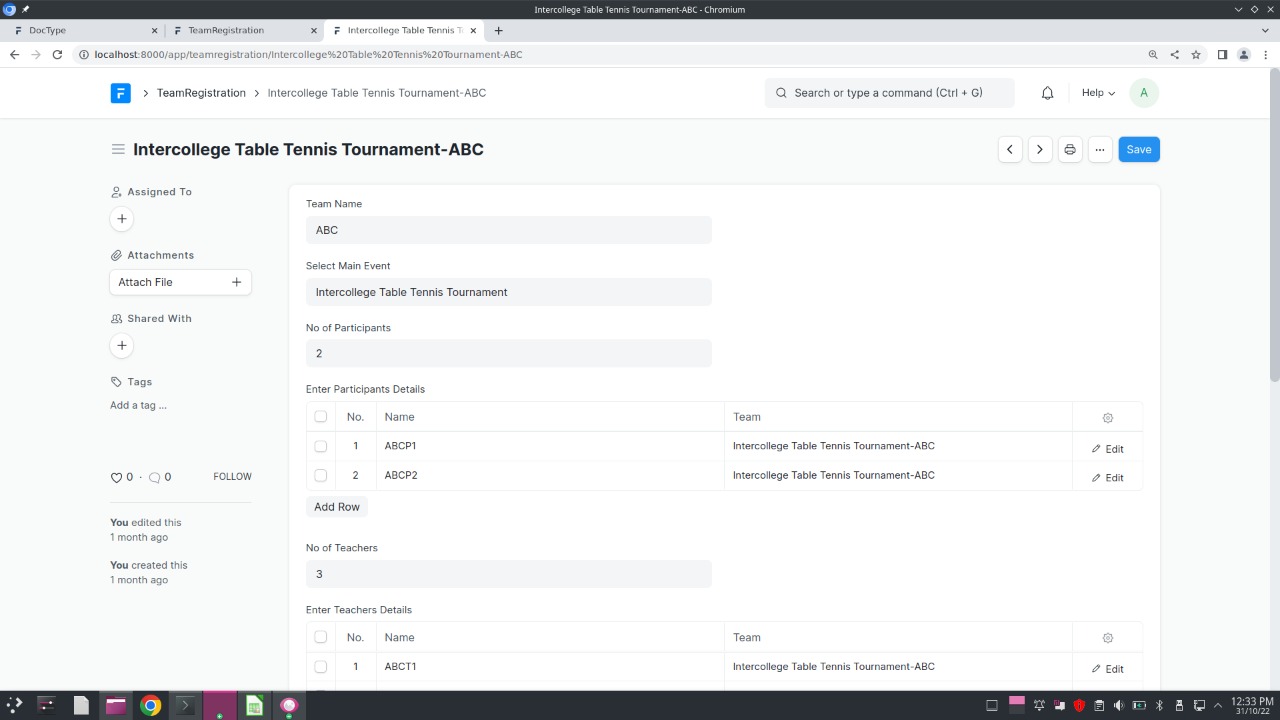 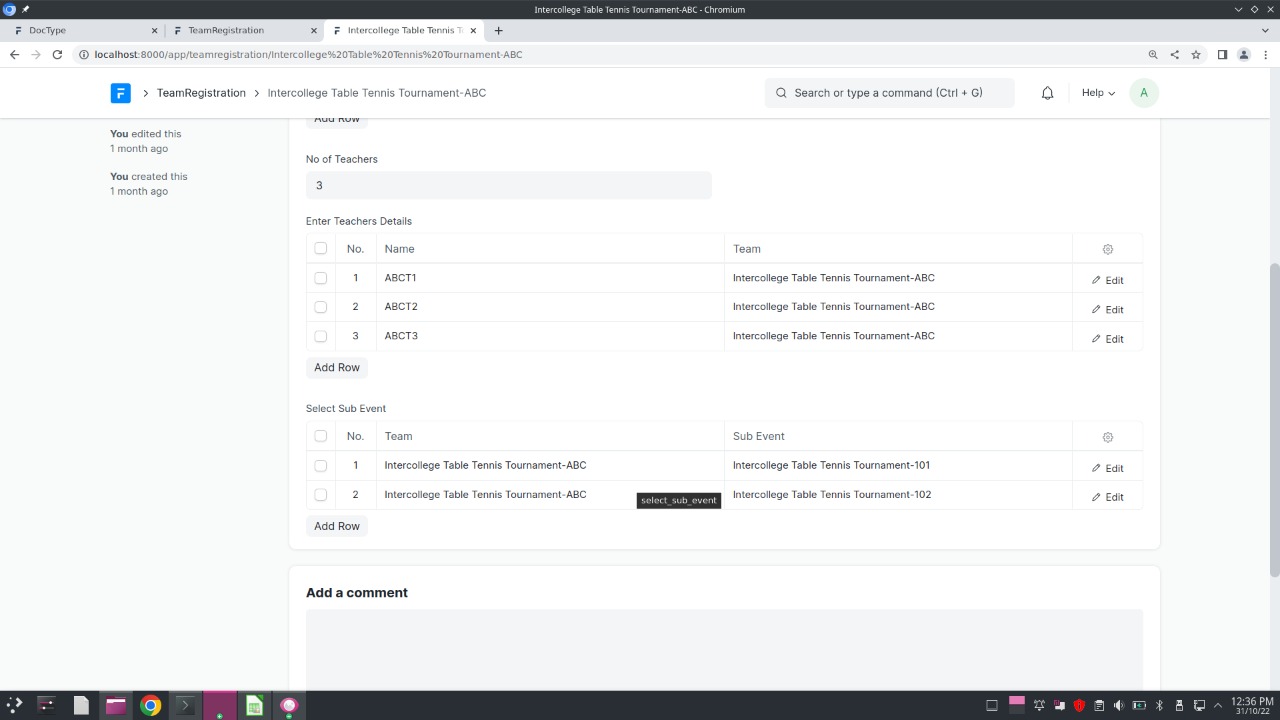 - Sub Events Format (fixtures and results):
Doctype: SubEventFormat 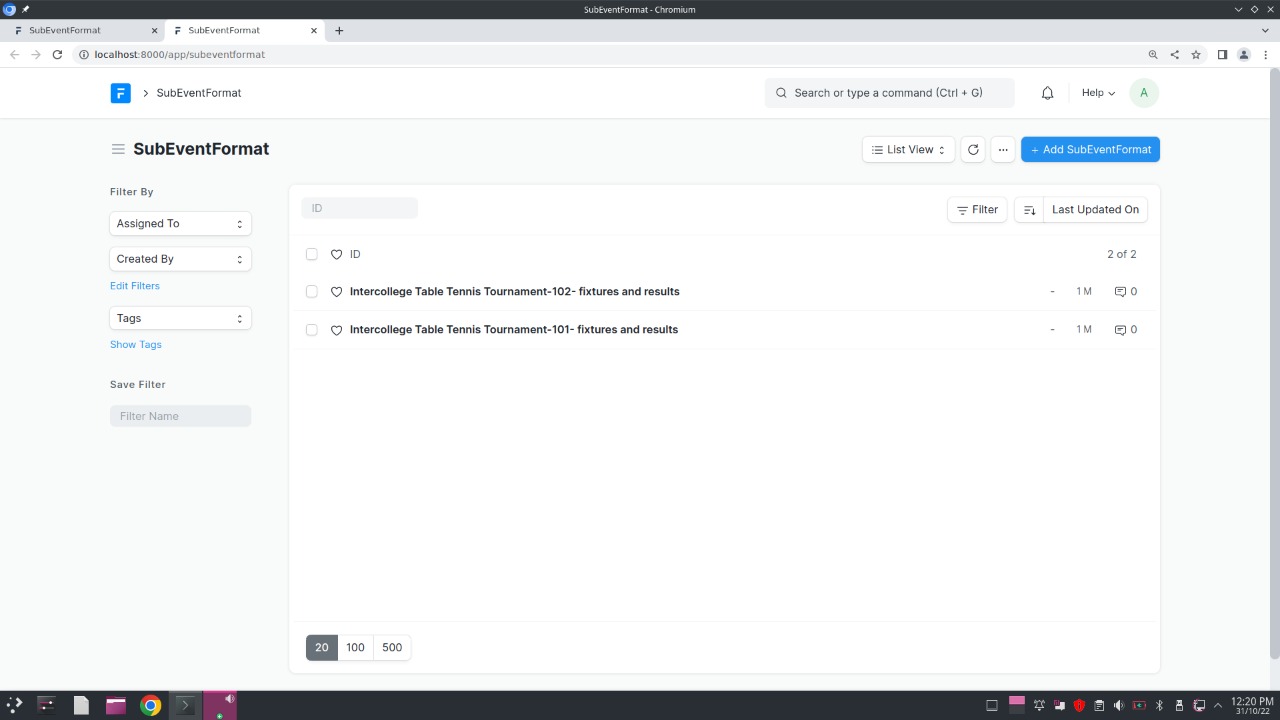 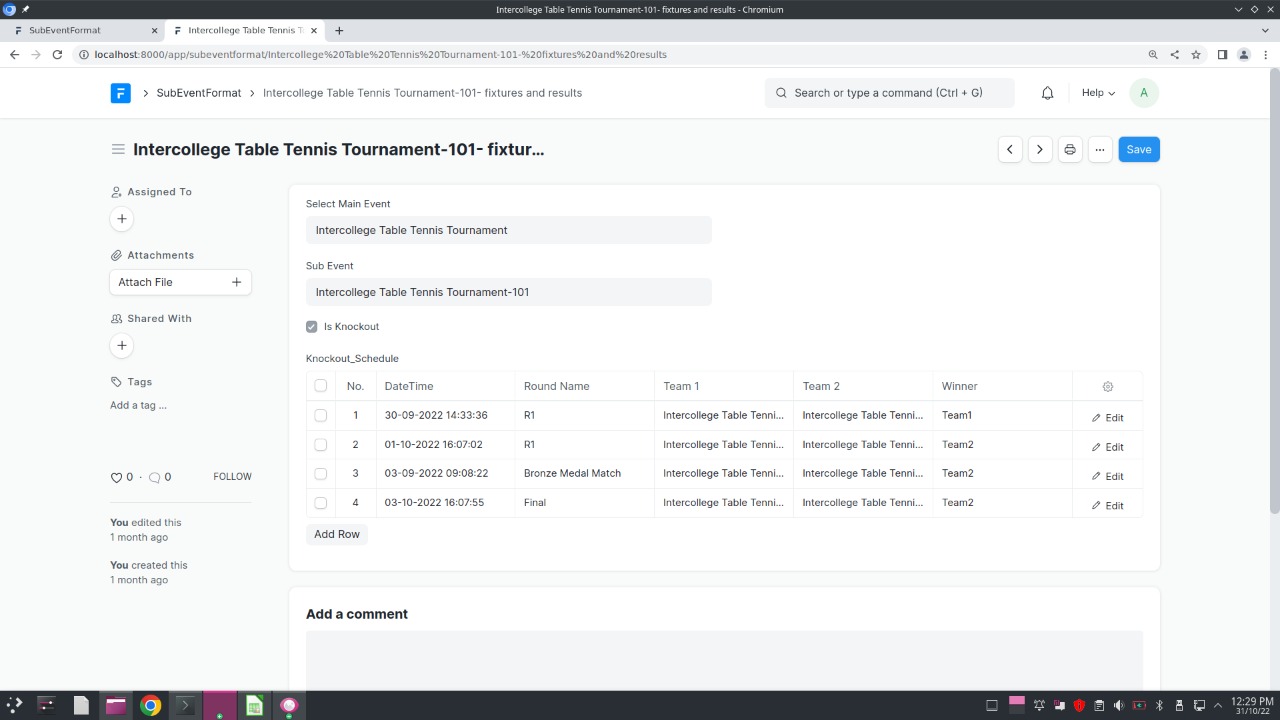 - Medals per sub events:
Doctype: SubEventWiseMedals 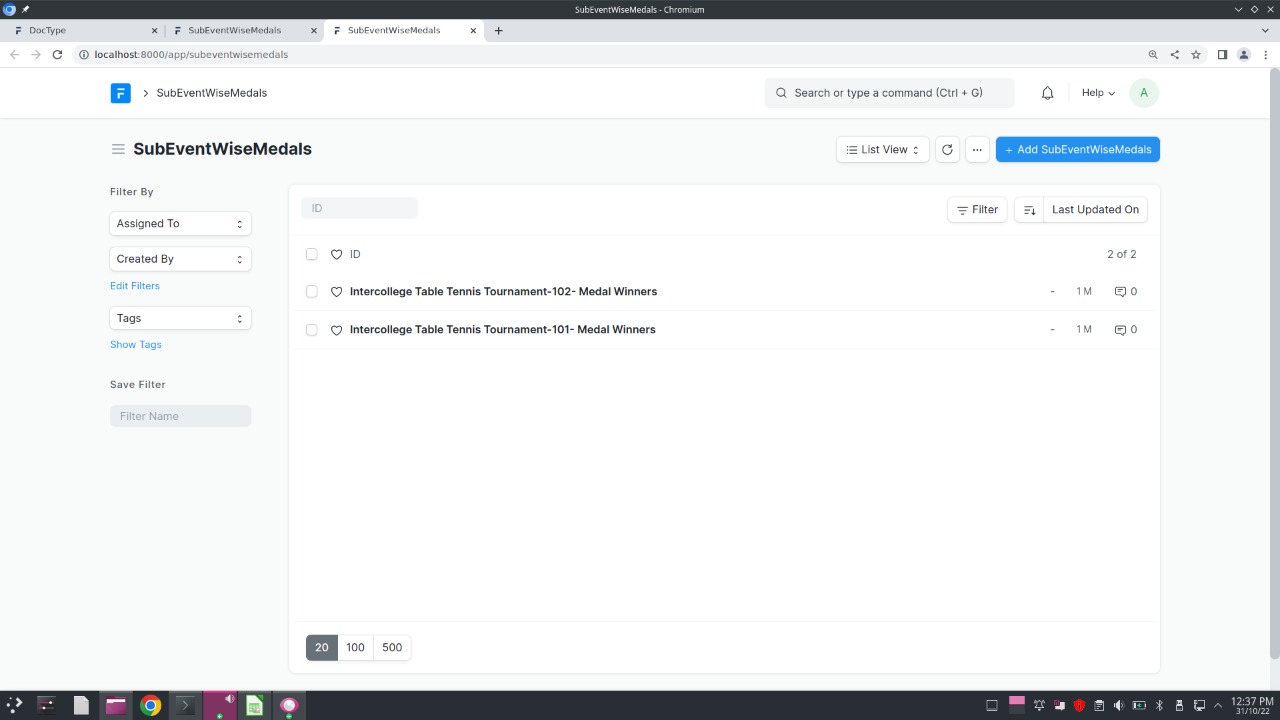 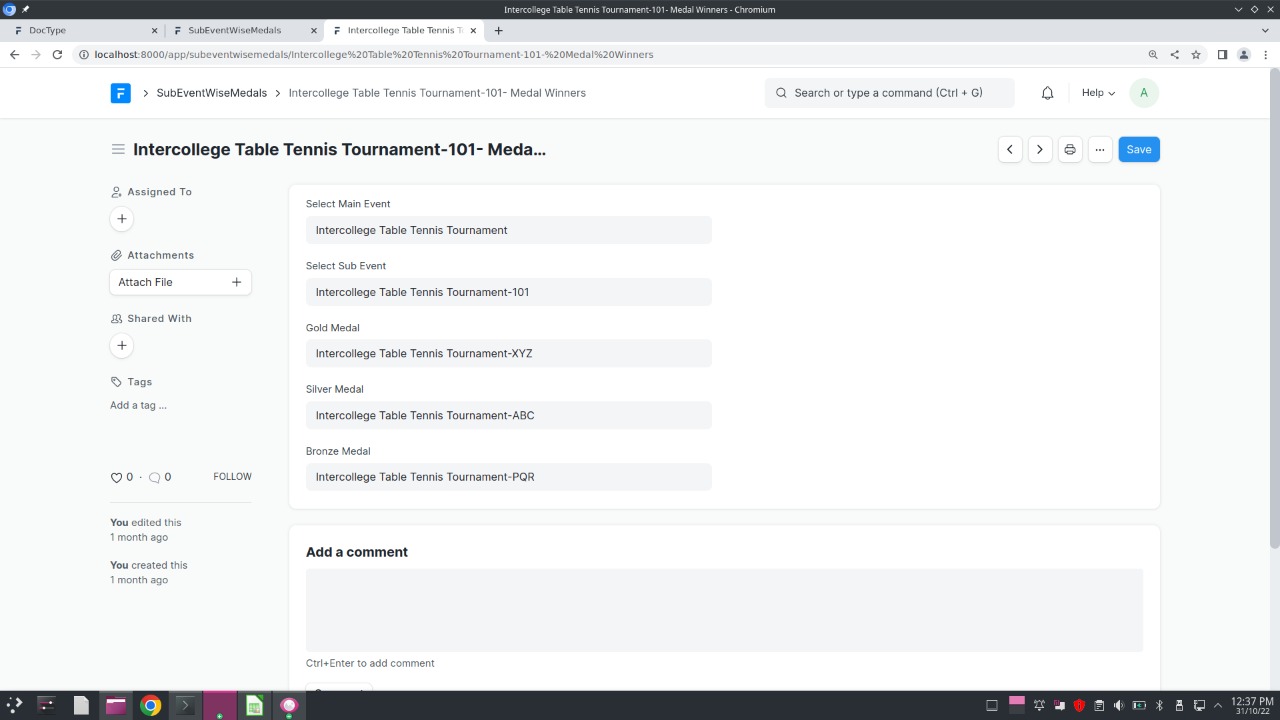 - Medal Tally:
Doctype: Medal Table 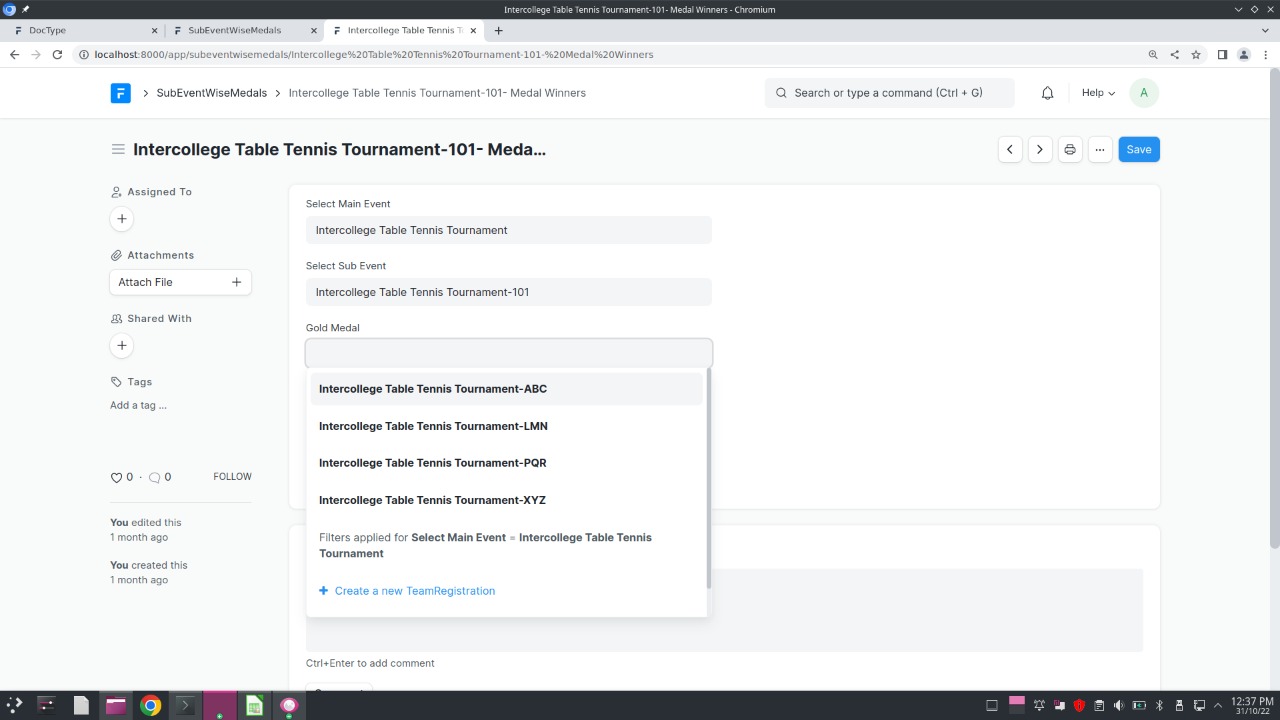 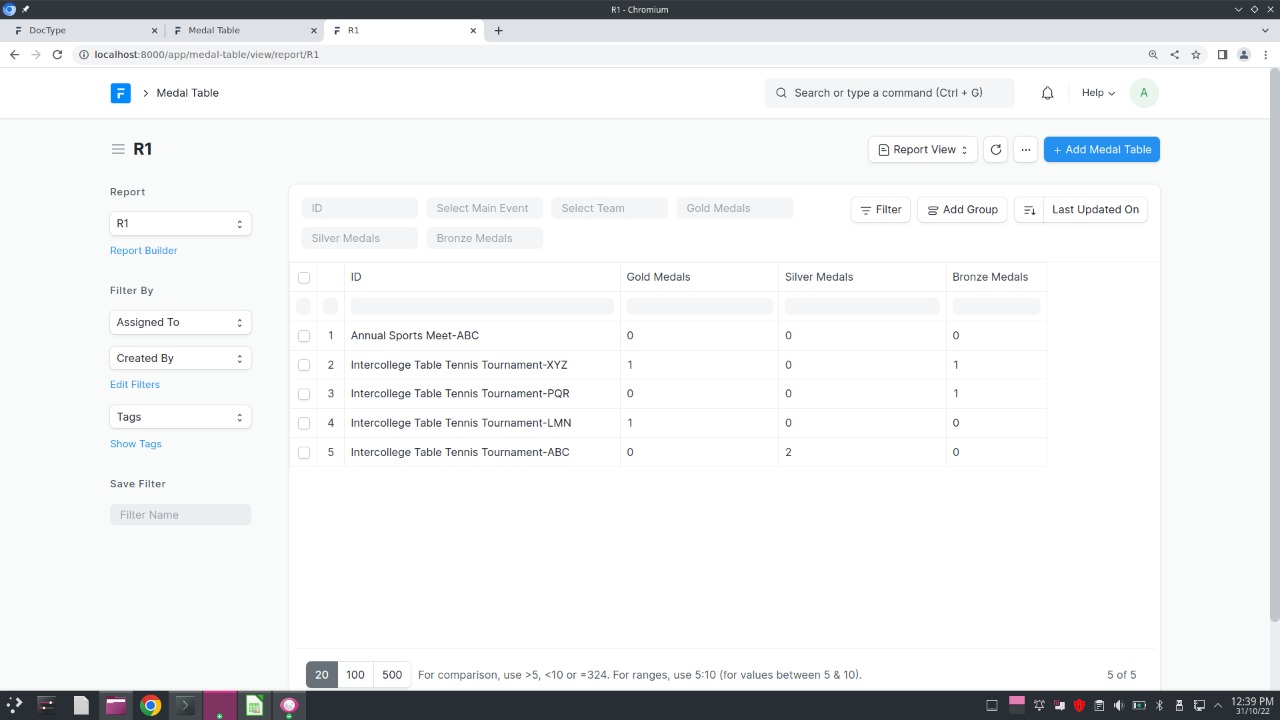 ------------------------------------------------------------------------------- Now let us see the various child doctypes used: 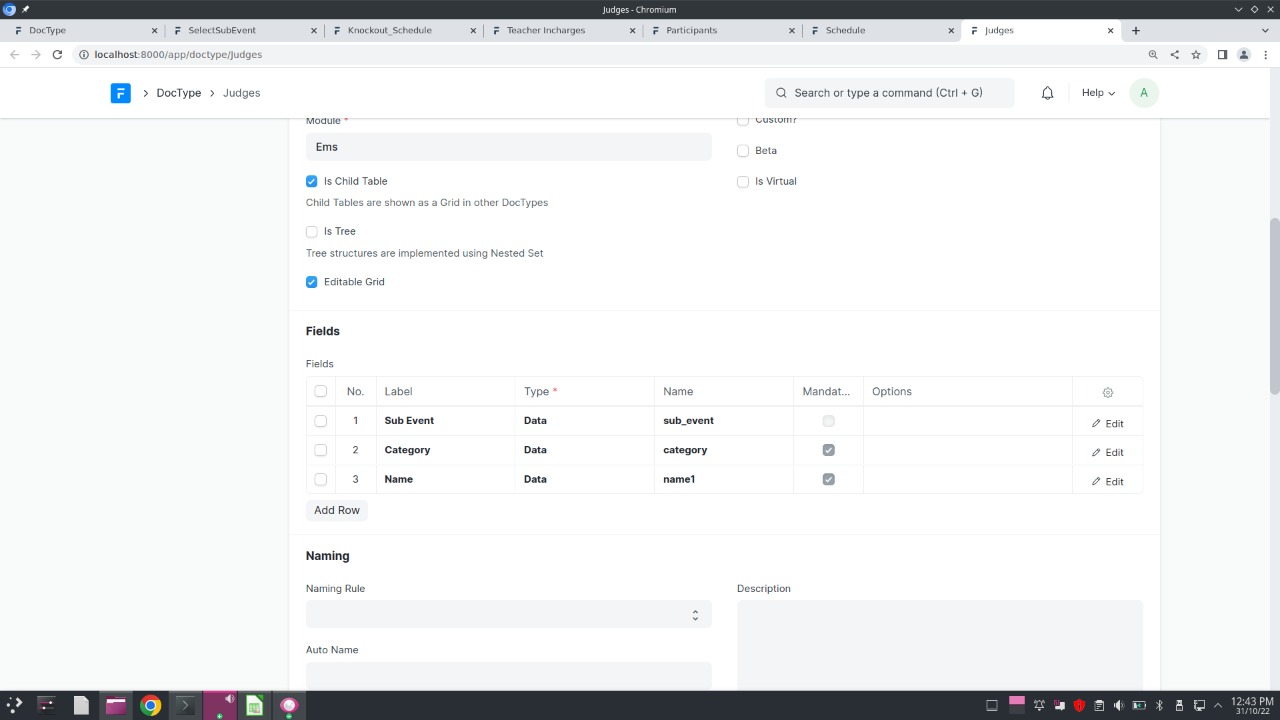 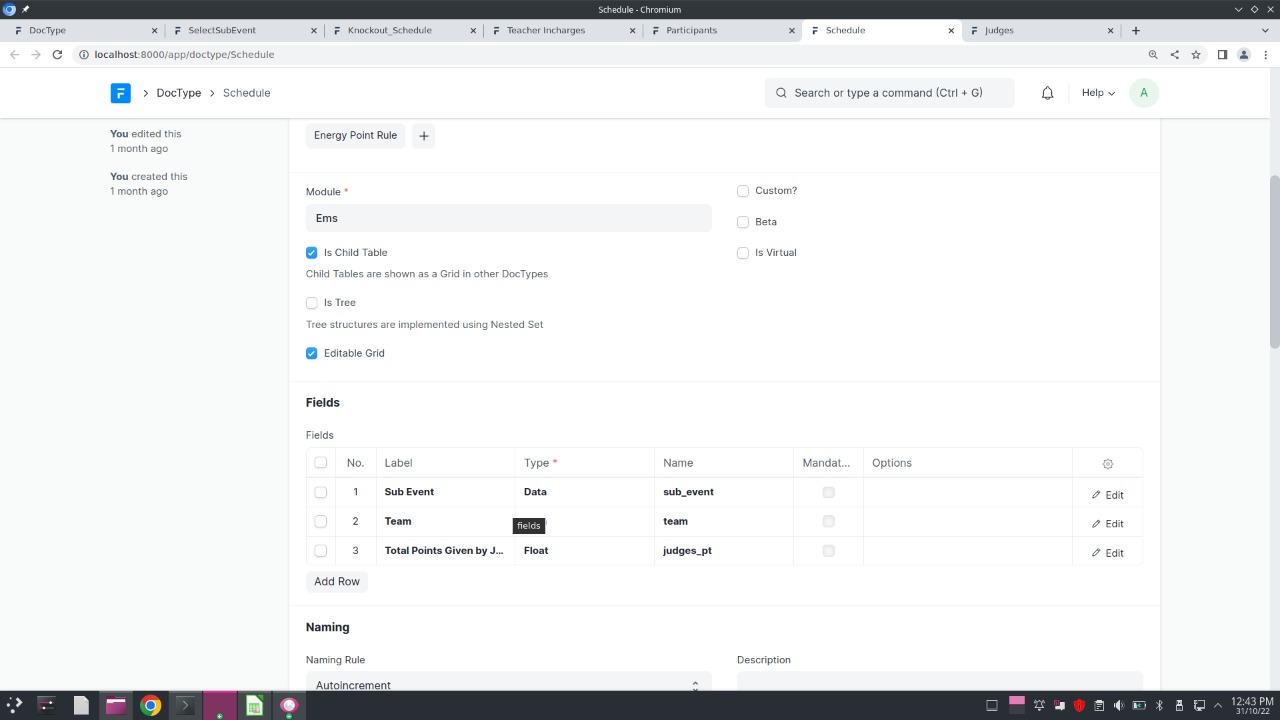 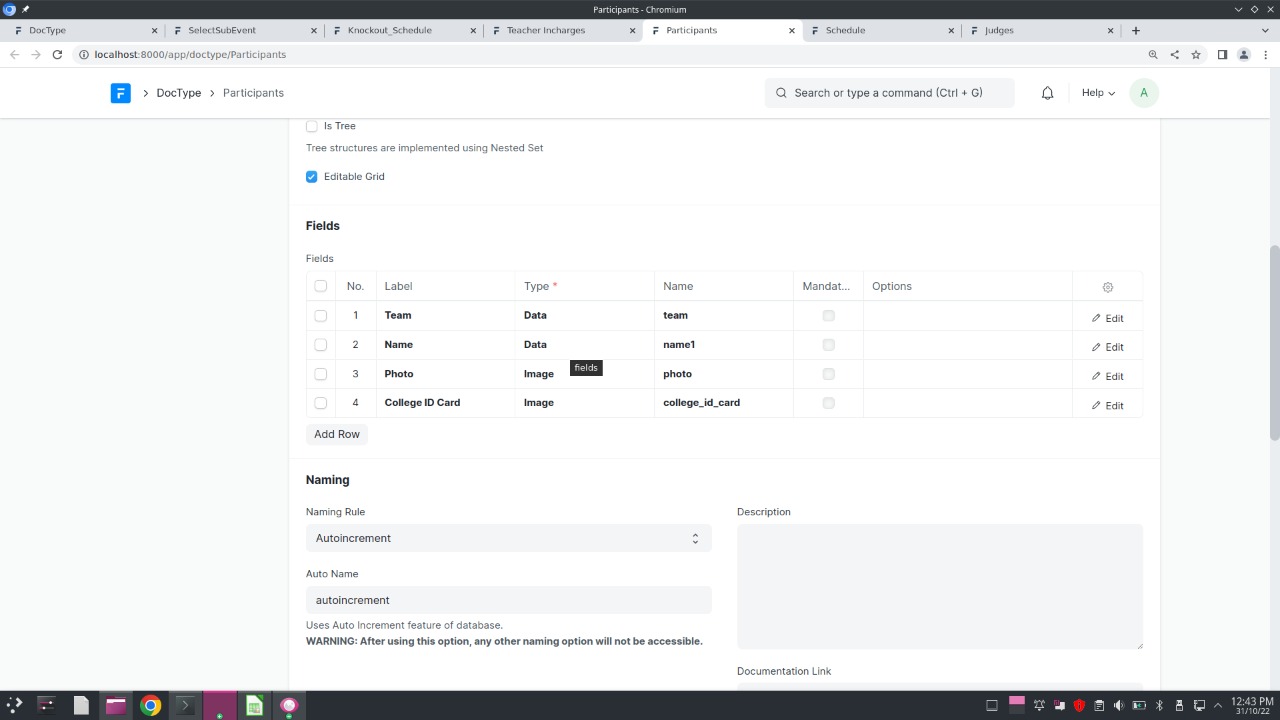 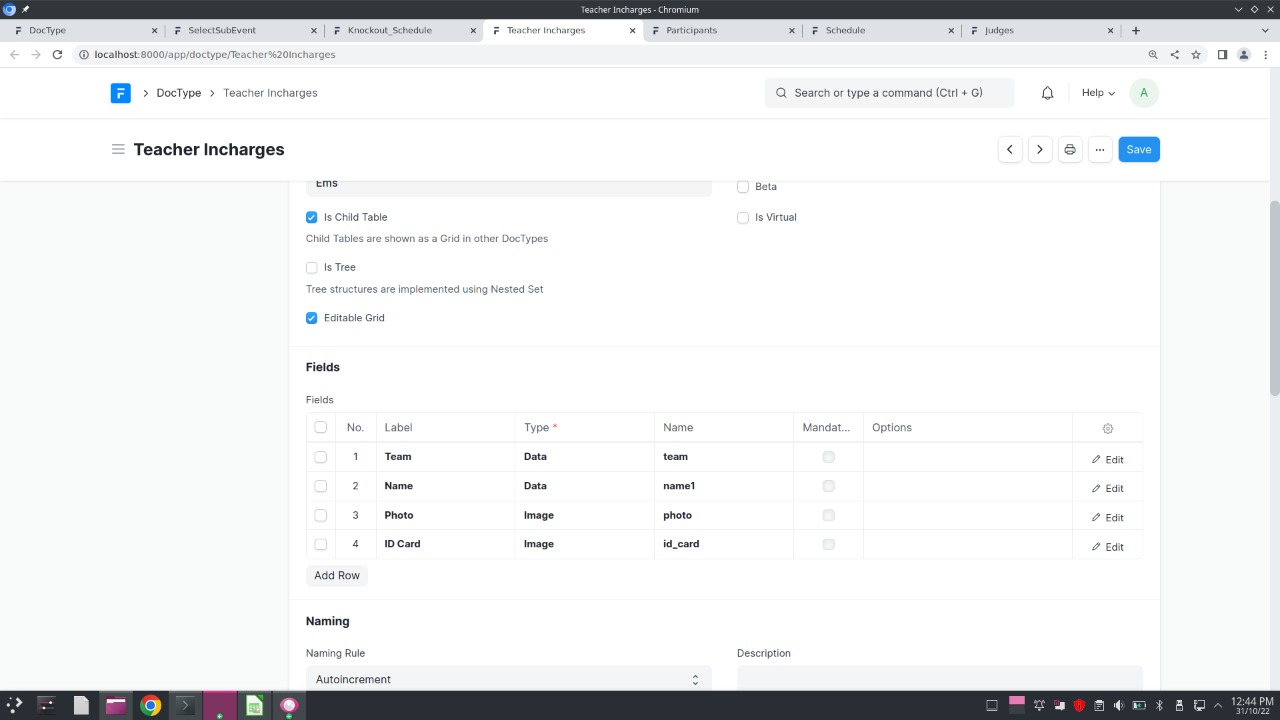 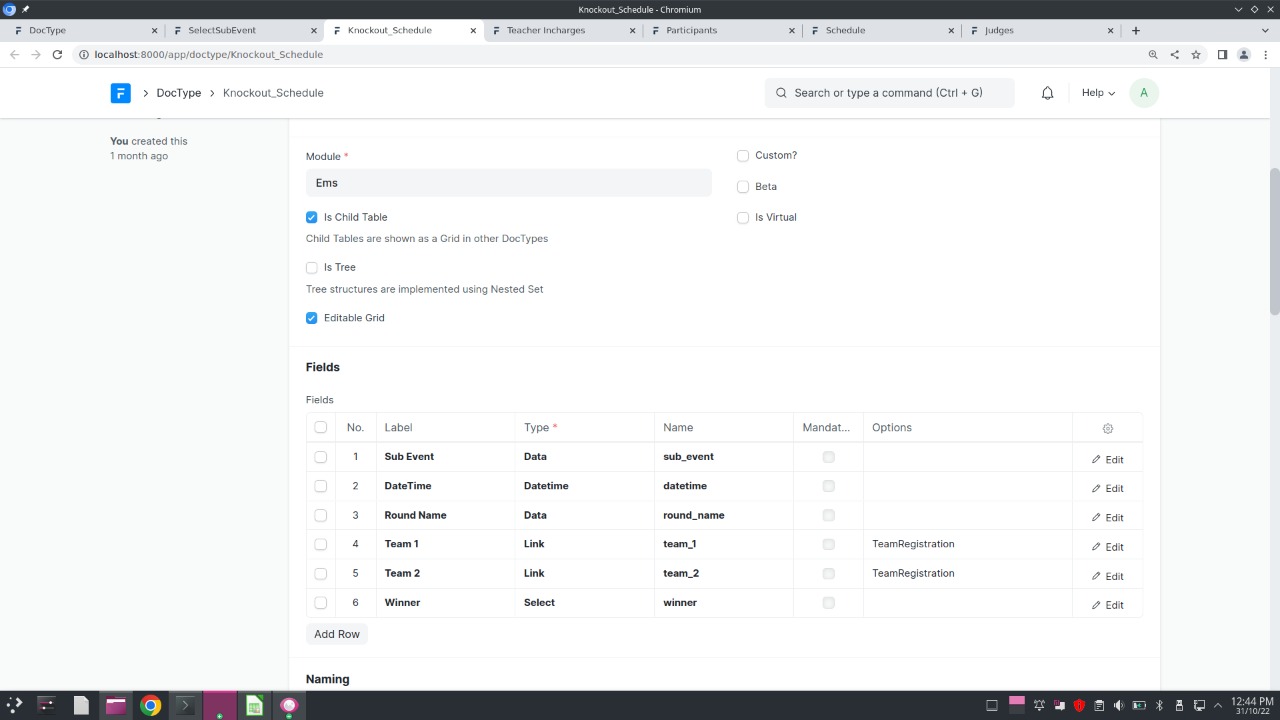 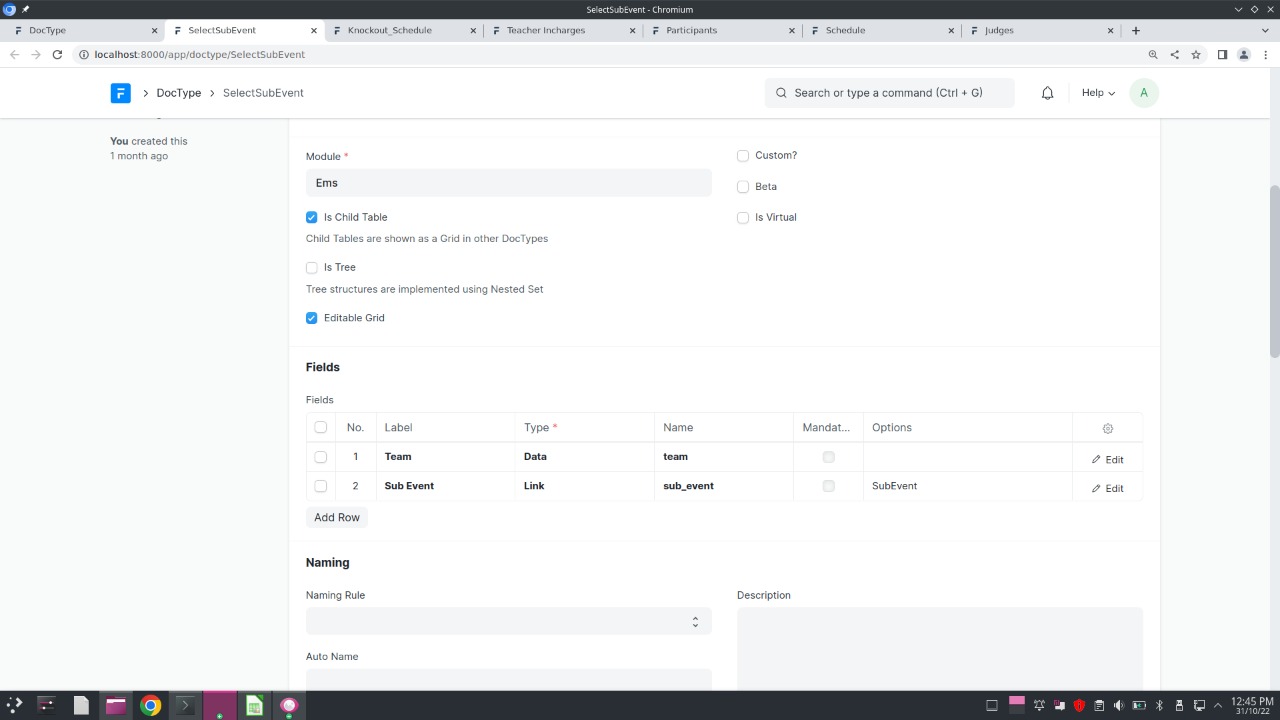
- In the following doctypes, there are various instances where sub events and teams are filtered as per the main event selected by the user, this has been done in js (client side scripting) and is available in the repository at .js file in ems/ems/doctype/doctype_name folder. Simiplarly python scripting has been done in .py files present in the same location
- There are various tables present in doctypes such as Judges table in SubEvent doctype, Teachers Details and Select Sub Event in TeamRegistration etc there are actually different doctypes in which is child table is enabled and parent table is mentioned. Thus it will not act as independent doctype but will take the input in parent doctype itself. ----------------------------------------------------------------------- ### Let's Start features in details - Main Event:
Doctype: MainEvent   - Sub Event:
Doctype: SubEvent List of Sub events created for Inter college table tennis tournament Now in this following image see the details to be entered while creating a subevent:  Note: The name of subevent is stored as a unique code concatenated with the main event name to avoid duplicacy as men's singles can be an event in Table Tennis or Badmintor or Squash etc. Its scripting has been done in python (server side scripting) using autoname function. - Teams Participating:
Doctype: TeamRegistration  Now see the fields to be entered with registering a team   - Sub Events Format (fixtures and results):
Doctype: SubEventFormat   - Medals per sub events:
Doctype: SubEventWiseMedals   - Medal Tally:
Doctype: Medal Table   ------------------------------------------------------------------------------- Now let us see the various child doctypes used:      
Related Developer Tools apps for Frappe & ERPNext
- Frappe — Low code web framework for real world applications, in Python and Javascript
- Frappe Docker — Docker environment for developing, deploying, and running Frappe applications (ERPNext and custom apps) in production and development
- Builder — Craft beautiful websites effortlessly with an intuitive visual builder and publish them instantly
- Bench — CLI to manage Multi-tenant deployments for Frappe apps
- Frappe Ui — A set of components and utilities for rapid UI development
- Press — Full service cloud hosting for the Frappe stack - powers Frappe Cloud
- Gameplan — Open Source Discussions Platform for Remote Teams
- Doppio — A Frappe app (CLI) to magically setup single page applications and Vue/React powered desk pages on your custom Frappe apps.