Btu
Background Tasks Unleashed: A Frappe Framework application for Task Scheduling and Automation.
- Author: Datahenge
- Repository: https://github.com/Datahenge/btu
- GitHub stars: 66
- Forks: 27
- License: MIT
- Category: Other
- Maintenance: Actively Maintained
- Frappe versions: develop, v13, v14, v15, v16
Install Btu
bench get-app https://github.com/Datahenge/btuTags
- cron
- erpnext
- frappe-framework
- redis-queue
- task-scheduler
Add the Frappe Gems badge to your README
Maintain Btu? Paste this into your README:
[](https://frappegems.com/gems/apps/Datahenge/btu)About Btu
## Background Tasks Unleashed (BTU) v15
For details, please read the project's **[Official Documentation](https://datahenge.github.io/btu/)**.
If you're looking for its companion application, the Rust-based **BTU Scheduler**, that project is maintained on a separate GitHub site.
🆕 **NEW in 2025** - Python version of the BTU Scheduler, [btu_scheduler_py](https://github.com/Datahenge/btu_scheduler_py)
### What is this?
Background Tasks Unleashed is:
* a [Frappe Framework](https://github.com/frappe) application for Task Scheduling and Automation.
* a tool for running tasks or processes *automatically*, on a repeating schedule, in the background of your Frappe web application.
* a robust alternative to the out-of-the-box **`Scheduled Job Types`** feature in Frappe v13+
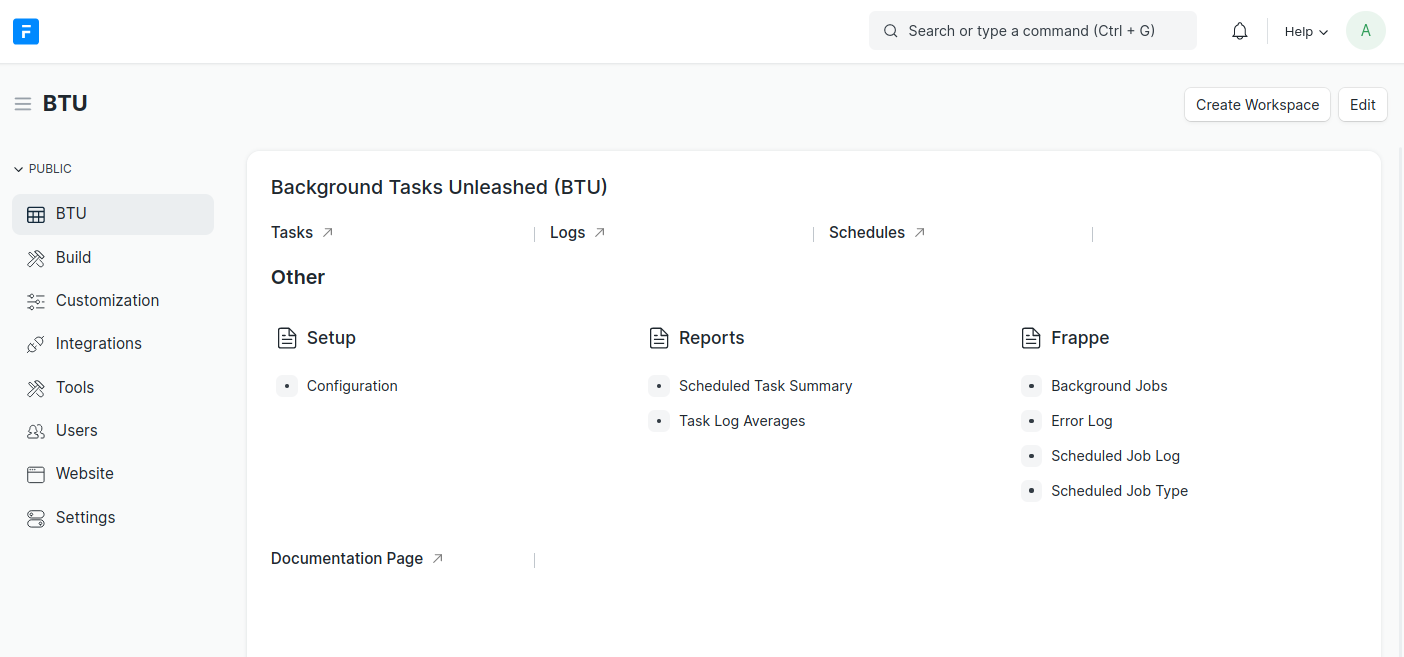 ### Capabilities
Using only your web browser, take full control of the BTU application. No need to SSH and modify `hooks.py`.
* **Tasks** organize your reusable jobs, enabling you to run any Python function (standard or custom) and pass your own arguments.
* **Schedules** will run Tasks in the background, at any cadence required (FYI, we can do cron...*with timezones!*)
* **Logs** give you visibility into your Task history. Not just success or fail, but the *complete standard output and errors*.
You can also:
* Run any Task on-demand.
* When a scheduled Task completes, automatically receive an email notification (including CC and BCC)
* Use an included CLI application to interact with the BTU from a shell terminal, instead of your web browser.
----
### Installation
A complete [Installation Guide](https://datahenge.github.io/btu/installation.html) is available on BTU's GitHub Pages site.
### Linux Prerequisites
```bash
apt install pkg-config libsystemd-dev
```
### Copyright and License
* Background Tasks Unleashed (BTU) is licensed MIT. (*See LICENSE.md file*)
* Copyright 2022, Datahenge LLC
* Maintainer: Brian Pond
### Capabilities
Using only your web browser, take full control of the BTU application. No need to SSH and modify `hooks.py`.
* **Tasks** organize your reusable jobs, enabling you to run any Python function (standard or custom) and pass your own arguments.
* **Schedules** will run Tasks in the background, at any cadence required (FYI, we can do cron...*with timezones!*)
* **Logs** give you visibility into your Task history. Not just success or fail, but the *complete standard output and errors*.
You can also:
* Run any Task on-demand.
* When a scheduled Task completes, automatically receive an email notification (including CC and BCC)
* Use an included CLI application to interact with the BTU from a shell terminal, instead of your web browser.
----
### Installation
A complete [Installation Guide](https://datahenge.github.io/btu/installation.html) is available on BTU's GitHub Pages site.
### Linux Prerequisites
```bash
apt install pkg-config libsystemd-dev
```
### Copyright and License
* Background Tasks Unleashed (BTU) is licensed MIT. (*See LICENSE.md file*)
* Copyright 2022, Datahenge LLC
* Maintainer: Brian Pond
### Capabilities
Using only your web browser, take full control of the BTU application. No need to SSH and modify `hooks.py`.
* **Tasks** organize your reusable jobs, enabling you to run any Python function (standard or custom) and pass your own arguments.
* **Schedules** will run Tasks in the background, at any cadence required (FYI, we can do cron...*with timezones!*)
* **Logs** give you visibility into your Task history. Not just success or fail, but the *complete standard output and errors*.
You can also:
* Run any Task on-demand.
* When a scheduled Task completes, automatically receive an email notification (including CC and BCC)
* Use an included CLI application to interact with the BTU from a shell terminal, instead of your web browser.
----
### Installation
A complete [Installation Guide](https://datahenge.github.io/btu/installation.html) is available on BTU's GitHub Pages site.
### Linux Prerequisites
```bash
apt install pkg-config libsystemd-dev
```
### Copyright and License
* Background Tasks Unleashed (BTU) is licensed MIT. (*See LICENSE.md file*)
* Copyright 2022, Datahenge LLC
* Maintainer: Brian Pond
Related Other apps for Frappe & ERPNext
- Erpnext — Free and Open Source Enterprise Resource Planning (ERP)
- Helpdesk — Modern, Streamlined, Free and Open Source Customer Service Software
- Print Designer — Visual print designer for Frappe / ERPNext
- Ctr — CTR模型代码和学习笔记总结
- Whitelabel — Whitelabel ERPNext
- Fossunited — fossunited.org
- Helm — Helm Chart Repository for Frappe/ERPNext
- Frappe Attachments S3 — A frappe app to upload file attachments in doctypes to s3.